

Is Your Data Exposed? How to Protect Digital Privacy in 2026
In the contemporary threat landscape, knowing how to protect digital privacy in 2026 requires a fundamental shift in defensive strategies. Relying on legacy tactics like clearing browser cookies or...


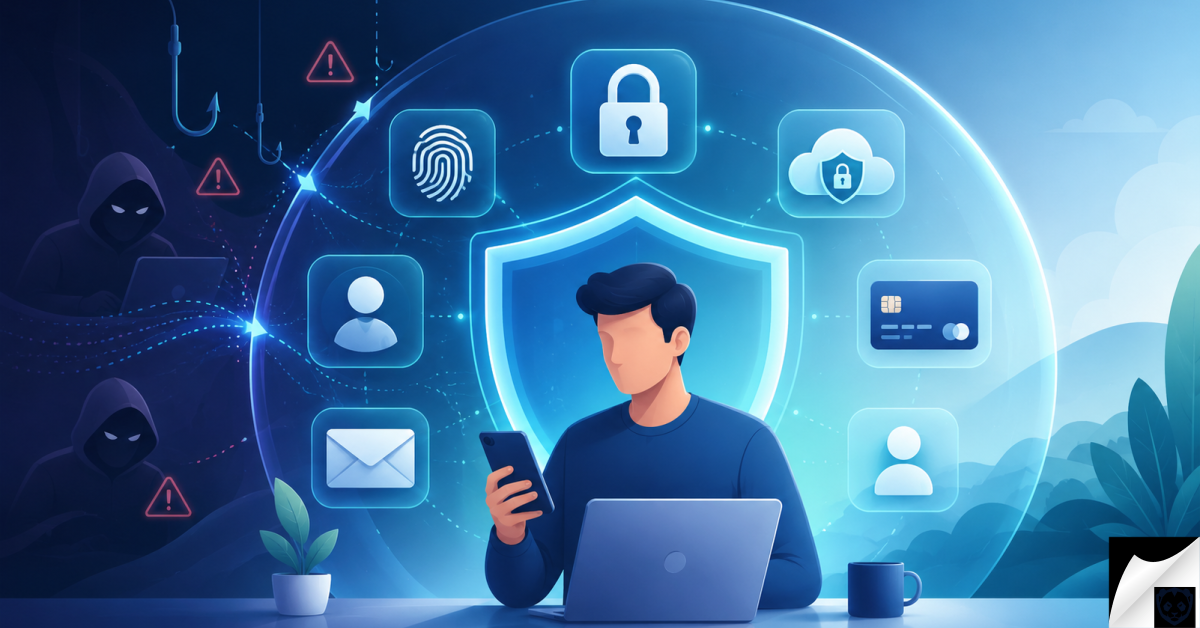
In the contemporary threat landscape, knowing how to protect digital privacy in 2026 requires a fundamental shift in defensive strategies. Relying on legacy tactics like clearing browser cookies or enabling incognito mode is no longer sufficient against industrialized surveillance. Today, AI-driven data scraping algorithms, zero-click exploits, and unregulated data brokers actively synthesize comprehensive profiles of your digital identity. This intelligence report provides a definitive, proactive framework to mitigate mass data collection, secure your personal infrastructure, and reclaim your digital sovereignty against next-generation tracking vectors.
Table Of Content
- How Do I Protect My Digital Privacy in 2026?
- The Real Threats: How Your Data is Compromised in 2026
- AI-Driven Data Scraping
- Zero-Click Exploits and Mobile Vulnerabilities
- IoT Data Harvesting
- Signs Your Digital Privacy Has Been Compromised
- The Ultimate Solution to Protect Digital Privacy in 2026
- Conduct a Brutal Digital Audit
- Transition to Zero-Knowledge Architecture
- Implement Hardware-Based Authentication
- Compartmentalize Your Identity
- Harden Your Local Network and Devices
- Essential Tools for Protecting Your Digital Privacy
- Privacy-First Browsers
- No-Log Virtual Private Networks (VPNs)
- Encrypted Communication Protocols
- Expert Insights: Pro Tips for Advanced Data Security
- Frequently Asked Questions About Digital Privacy in 2026
- Is Incognito Mode enough to protect my privacy?
- Should I pay for a VPN, or are free ones okay?
- What is a zero-day exploit?
- Do passkeys completely replace passwords?
- Is it safe to store my passwords in my web browser?
- Can my devices really listen to me for targeted ads?
- How do I remove my personal info from Google search results?
- Take Control of Your Digital Privacy Today
Your data is the most valuable currency on the internet. If you want to know How to Protect Your Digital Privacy in 2026, you need to look beyond clearing your browser history or turning on incognito mode. Data brokers, AI-driven scraping tools, and sophisticated tracking algorithms are actively building comprehensive profiles of your daily habits, financial status, and personal preferences.
The landscape of online security has shifted. It is no longer just about avoiding malicious hackers in dark basements; it is about mitigating the mass collection of your data by legal, corporate entities and preventing that data from falling into the wrong hands when those entities inevitably suffer breaches.
This comprehensive guide will break down exactly how your data is exposed, the symptoms of a compromised digital identity, and the exact, step-by-step frameworks you must implement to reclaim your digital sovereignty this year.
How Do I Protect My Digital Privacy in 2026?
To immediately protect your digital privacy, you must shift from a reactive to a proactive security posture. Start by auditing your digital footprint and deleting abandoned accounts. Replace password-based logins with FIDO2 hardware keys or passkeys wherever possible. Route your internet traffic through a strict no-log VPN, switch to a privacy-respecting browser with aggressive tracker blocking, and use email aliasing services to hide your primary email address from third-party databases.
While securing your passwords and using two-factor authentication are great first steps, achieving true invisibility requires a more advanced approach. If you want to mask your digital footprint completely from hiding your IP address to avoiding advanced browser fingerprinting check out our comprehensive walkthrough on How to Stay Anonymous Online | A Beginner’s Guide.
The Real Threats: How Your Data is Compromised in 2026
Understanding the battlefield is the first step in defending yourself. The methods used to harvest your data have evolved far beyond simple tracking cookies.
AI-Driven Data Scraping
Large Language Models (LLMs) and artificial intelligence platforms require massive datasets to function. Companies are aggressively scraping public forums, social media profiles, and open directories to train these models. A comment you made on a niche forum ten years ago could now be part of an AI’s training data, potentially surfacing in responses to other users’ queries. This mass ingestion of data makes containing your digital footprint harder than ever.
Smartphones are essentially pocket-sized tracking devices if left unconfigured. While Apple offers robust built-in security features, many of the most effective ones are hidden deep within your device’s menus. To ensure your phone is completely locked down against unwanted data collection, dive into our detailed guide on the Best Privacy Settings for iPhone | OS 19/20.
Zero-Click Exploits and Mobile Vulnerabilities
Whether you are operating on a high-end macOS environment or using an Android device, zero-click exploits are a silent threat. These attacks do not require you to click a malicious link or download a compromised file. A bad actor simply sends a specifically crafted message or image to your device, exploiting vulnerabilities in the operating system’s background rendering processes to gain silent access to your microphone, camera, and local files.
IoT Data Harvesting
The “Internet of Things” refers to your smart TV, your internet-connected refrigerator, and your home security cameras. These devices are notoriously insecure and are designed to collect telemetry data. They monitor when you are home, what you watch, and your daily routines, often transmitting this data back to manufacturers over unencrypted channels.
Signs Your Digital Privacy Has Been Compromised
Many people do not realize their data is heavily exposed until it is actively used against them. Look for these specific indicators that your digital perimeter has been breached:
- Hyper-Specific Targeted Advertising: Seeing ads for a product you only spoke about out loud, or ads related to a highly specific, unsearched medical condition.
- Unexplained Account Lockouts: Receiving frequent 2FA codes on your phone or email for accounts you are not currently trying to log into.
- Phantom Device Battery Drain: Your smartphone or laptop battery depleting unusually fast, often accompanied by the device running hot, indicating background processes (like malware or aggressive tracking scripts) are running continuously.
- Mysterious Sent Messages: Checking your outbox on social media or email and finding messages containing links that you never sent.
- Microphone and Camera Indicators: The sudden, unprompted appearance of the green or orange indicator dots on your mobile screen or laptop bezel when you are not actively using media apps.
The Ultimate Solution to Protect Digital Privacy in 2026
Taking back your privacy requires a systematic approach. Do not attempt to do this all in one day. Treat this section as a multi-day checklist to systematically lock down your digital life.
Conduct a Brutal Digital Audit
You cannot protect what you do not know exists. Begin by identifying your active attack surface.
Have you ever noticed highly specific ads appearing based on places you’ve recently visited? Many everyday applications constantly harvest your GPS coordinates in the background, often without your explicit realization. Taking control of these permissions is a crucial part of your digital defense. Learn exactly How to Stop Apps from Tracking Your Location to keep your physical whereabouts strictly confidential.
First, search your primary email inbox for terms like “welcome to,” “verify your account,” or “unsubscribe.” Make a list of every service you have signed up for over the past decade. If you do not actively use the service, log in, request an account deletion (not just a deactivation), and confirm the data removal.
Transition to Zero-Knowledge Architecture
Stop relying on your browser to remember your passwords. You must migrate to a zero-knowledge password manager. “Zero-knowledge” means the encryption happens locally on your device; the company hosting the password manager cannot see your vault, even if they are subpoenaed or breached.
Generate unique, 20+ character alphanumeric passwords for every single account. You should only ever need to remember one password: the master password to your vault.
Implement Hardware-Based Authentication
SMS-based Two-Factor Authentication (2FA) is practically obsolete due to the rise of SIM-swapping attacks. Time-based One Time Passwords (TOTP) generated by authenticator apps are better, but the gold standard in 2026 is hardware authentication.
Purchase a FIDO2 compliant hardware security key. This physical USB/NFC device must be tapped or plugged into your machine to authorize a login. It makes remote phishing attacks mathematically impossible.
Compartmentalize Your Identity
Never give out your real email address or phone number to online retailers, newsletters, or web apps. Use an email aliasing service. These services generate unique, random email addresses (e.g., shopping-site@alias.com) that forward to your main inbox. If that specific retailer is breached, you simply deactivate that single alias, and your primary inbox remains completely untouched and spam-free.
Harden Your Local Network and Devices
Change the default admin credentials on your home Wi-Fi router immediately. Next, configure your router or your devices to use an encrypted DNS protocol like DNS-over-HTTPS (DoH). By default, your Internet Service Provider (ISP) can see every website you visit, even if the site is HTTPS secure. Encrypted DNS blinds your ISP to your browsing habits.
On your devices, strictly audit application permissions. A calculator app does not need access to your local network, and a recipe app does not need your precise GPS location. Revoke permissions aggressively.
Essential Tools for Protecting Your Digital Privacy
You do not need to be a cybersecurity analyst to use professional-grade privacy tools. Integrating the right categories of software into your daily workflow is critical.
A crucial pillar of true digital privacy is protecting your primary inbox from data brokers, spam campaigns, and inevitable corporate breaches. Instead of using one email address for everything, modern privacy strategies require the use of disposable forwarding addresses. Compare the top-tier tools available this year in our comprehensive breakdown of the Best Email Alias Services for Privacy in 2026 | Protect Your Real Inbox.
Privacy-First Browsers
Mainstream browsers are built by data companies designed to profile you. Switch to a browser built on open-source, privacy-first architecture. Look for browsers that feature aggressive fingerprinting protection, block cross-site trackers by default, and route your search queries through non-tracking search engines. Browser fingerprinting—where sites identify you based on your screen resolution, OS version, and installed fonts—is a massive threat that standard ad-blockers cannot stop.
No-Log Virtual Private Networks (VPNs)
A VPN encrypts your traffic and masks your IP address. However, not all VPNs are created equal. You must select a provider based in a privacy-respecting jurisdiction (outside the Five Eyes intelligence alliance). Ensure the provider operates on RAM-only servers. RAM-only infrastructure means data cannot be permanently stored; every time the server is rebooted, all data is physically wiped clean.
Encrypted Communication Protocols
SMS is sent in plain text. Anyone with basic intercept tools on cellular networks can read your messages. Move all sensitive conversations to end-to-end encrypted (E2EE) messaging platforms. Ensure the platform uses open-source cryptographic protocols that are regularly audited by independent security firms.
Expert Insights: Pro Tips for Advanced Data Security
Once you have mastered the basics, you can apply these advanced tactics used by privacy professionals to become virtually invisible online.
- Use Virtual Payment Cards: Never type your actual credit card number into a web form. Use virtual card services that generate single-use credit card numbers for online purchases. If the merchant database is hacked, the card number the hackers steal is already useless.
- Embrace Data Poisoning: Do not just try to hide; actively confuse tracking algorithms. If a site forces you to provide an age, occupation, or location to access content, lie. Feed databases conflicting, garbage data to render your advertising profile useless to data brokers.
- Disable Wi-Fi Auto-Join: Devices constantly broadcast their MAC addresses searching for previously connected networks. Retailers use scanners to capture these broadcasts and track your physical movements through their stores. Turn Wi-Fi off completely when leaving your house, or disable the auto-join feature in your OS settings.
- Regularly Audit Connected Apps (OAuth): Check the security settings of your Google, Apple, and social media accounts for “Connected Apps.” We often use “Sign in with…” features for convenience and forget about them. Revoke access to any third-party app you no longer use.
Frequently Asked Questions About Digital Privacy in 2026
Is Incognito Mode enough to protect my privacy?
No. Incognito or Private mode only prevents your browser from saving your local history and cookies on your specific device. Your ISP, your employer, the websites you visit, and data trackers can still see exactly what you are doing and log your IP address.
Should I pay for a VPN, or are free ones okay?
You should never use a free VPN. Running global server infrastructure costs millions of dollars. If a company is not charging you money, they are making money by logging and selling your internet traffic to data brokers. Always use a reputable, paid VPN with a strict no-logs policy.
What is a zero-day exploit?
A zero-day exploit is a software vulnerability that is unknown to the software developer. Because the developer has had “zero days” to fix it, hackers can use the flaw to silently breach devices until a patch is finally created and distributed.
Do passkeys completely replace passwords?
Yes, passkeys are designed to replace passwords entirely. They use cryptographic keys stored securely on your device (via biometric lock or hardware key). Because there is no password to type, there is no password for hackers to steal via phishing or keylogging.
Is it safe to store my passwords in my web browser?
Storing passwords in a browser like Chrome or Safari is better than reusing the same password everywhere, but it is not ideal. Browser password stores are often targeted by specialized malware. A dedicated, standalone, zero-knowledge password manager is significantly more secure.
Can my devices really listen to me for targeted ads?
While tech companies deny using idle microphones to serve ads, your data profile is so extensive that they do not need to listen. By tracking your location, your friends’ locations, your search habits, and your purchase history, their predictive algorithms are highly accurate, creating the illusion that they are eavesdropping.
How do I remove my personal info from Google search results?
Google offers a “Results about you” tool that allows you to request the removal of personal contact information (like phone numbers, home addresses, and email addresses) from their search index. However, this only removes it from Google, not the actual website hosting the data. For full removal, you must contact data brokers directly or use a premium data-deletion service.
Take Control of Your Digital Privacy Today
Learning how to protect digital privacy in 2026 is not a one-time setup; it is a continuous lifestyle change. The threats are automated, relentless, and deeply integrated into the technology we use every day.
You do not need to go off the grid to be secure. By auditing your digital footprint, transitioning to zero-knowledge tools, embracing hardware authentication, and restricting the data you freely hand over, you can drastically reduce your attack surface. Take action today. Start by migrating to a secure password manager tonight, and systematically reclaim your digital independence one account at a time.





No Comment! Be the first one.