

How to Stay Anonymous Online in 2026 | Beginner’s Guide
Every keystroke, every DNS request, and every invisible pixel on your screen is part of a massive data-harvesting ecosystem. How to Stay Anonymous Online the modern internet is inherently hostile to...

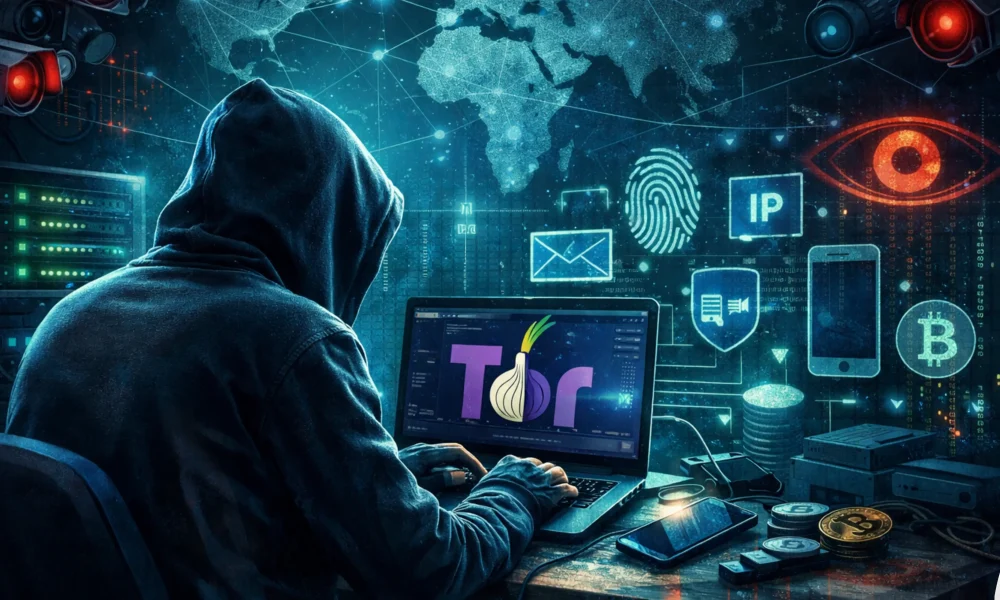
Every keystroke, every DNS request, and every invisible pixel on your screen is part of a massive data-harvesting ecosystem. How to Stay Anonymous Online the modern internet is inherently hostile to privacy. Internet Service Providers (ISPs), state-sponsored actors, and global ad networks don’t just log what websites you visit; they build forensic profiles capable of predicting your behavior, financial status, and daily routines. If your goal is to genuinely stay anonymous online, clearing your cache, using “Incognito Mode,” or casually toggling a mainstream VPN on and off is a dangerous illusion of security.
Table Of Content
- The Core Pillars of Online Anonymity
- The Invisible Web: Advanced Tracking Mechanics Explained
- Advanced Browser Fingerprinting (Beyond Cookies)
- Operating System and Hardware Telemetry
- Deep Packet Inspection (DPI) and DNS Leaks
- The Trap of Cross-Pollination (OPSEC Failures)
- Signs Your Digital Identity is Heavily Compromised
- A Layered Approach to Stay Anonymous Online
- Phase 1: Network and Infrastructure Isolation
- Phase 2: Operating System and Hardware Hardening
- Phase 3: Defeating Browser Fingerprinting
- Phase 4: Identity Obfuscation and Alias Management
- Pro Tips and Expert Insights for Extreme Threat Models
- Frequently Asked Questions (FAQ)
- Is it illegal to be anonymous online?
- Can my ISP see what I am doing if I use a VPN?
- Does a Mac offer better privacy than a Windows PC?
- Why shouldn’t I use free VPN services?
- What is the difference between Tor and a VPN?
- Can browser extensions compromise my privacy?
- Conclusion: Your Blueprint to Reclaiming Digital Sovereignty
While achieving online anonymity is a critical step in taking back control of your identity, it is just one piece of a much larger security puzzle. To build a bulletproof defense strategy against all modern cyber threats, make sure to explore our comprehensive resource: How to Protect Your Digital Privacy in 2026 | Ultimate Guide.
True digital anonymity requires Operational Security (OPSEC). It demands a systematic dismantling of how you interact with hardware, networks, and software ecosystems. This comprehensive guide strips away the marketing jargon to expose exactly how your devices betray you, and provides a step-by-step, technical framework to reclaim your digital sovereignty, compartment your identities, and erase your digital footprint.
The Core Pillars of Online Anonymity
To stay anonymous online, you must implement strict compartmentalization. At the network layer, you must mask your IP and encrypt traffic using a no-logs VPN or the Tor network. At the device layer, you must defeat browser fingerprinting using hardened, open-source browsers (like Tor Browser, Mullvad Browser, or customized LibreWolf). At the identity layer, you must never link your real-world credentials (primary email, phone number, hardware MAC addresses) to your anonymous browsing sessions or digital assets.
The Invisible Web: Advanced Tracking Mechanics Explained
To defend against surveillance, you must first understand the anatomy of modern tracking. Attackers and data brokers no longer rely solely on simple text-based cookies. They utilize deeply integrated, hardware-level diagnostic tools to identify you with terrifying accuracy.
Advanced Browser Fingerprinting (Beyond Cookies)
You can route your traffic through five different countries, but if your browser leaks your unique hardware configuration, you are instantly identified. Browser fingerprinting is the process of collecting hundreds of seemingly harmless data points to create a unique hash of your specific machine.
- Canvas Fingerprinting: Websites instruct your browser to render a hidden, complex image or line of text using the HTML5
<canvas>element. Because every graphics card, operating system, and installed font library renders pixels slightly differently, the resulting image is unique to your device. The website hashes this image and uses it as a permanent ID. - WebGL and AudioContext: Similar to canvas tracking, WebGL interacts with your GPU to render 3D graphics, revealing highly specific details about your graphics hardware. AudioContext tracking plays an invisible, low-frequency sound and measures exactly how your specific CPU and audio drivers process the soundwaves.
- Font Enumeration: The exact combination of fonts installed on your system—especially if you are a designer or developer with custom typography—creates a highly specific identifier that sets you apart from millions of other users.
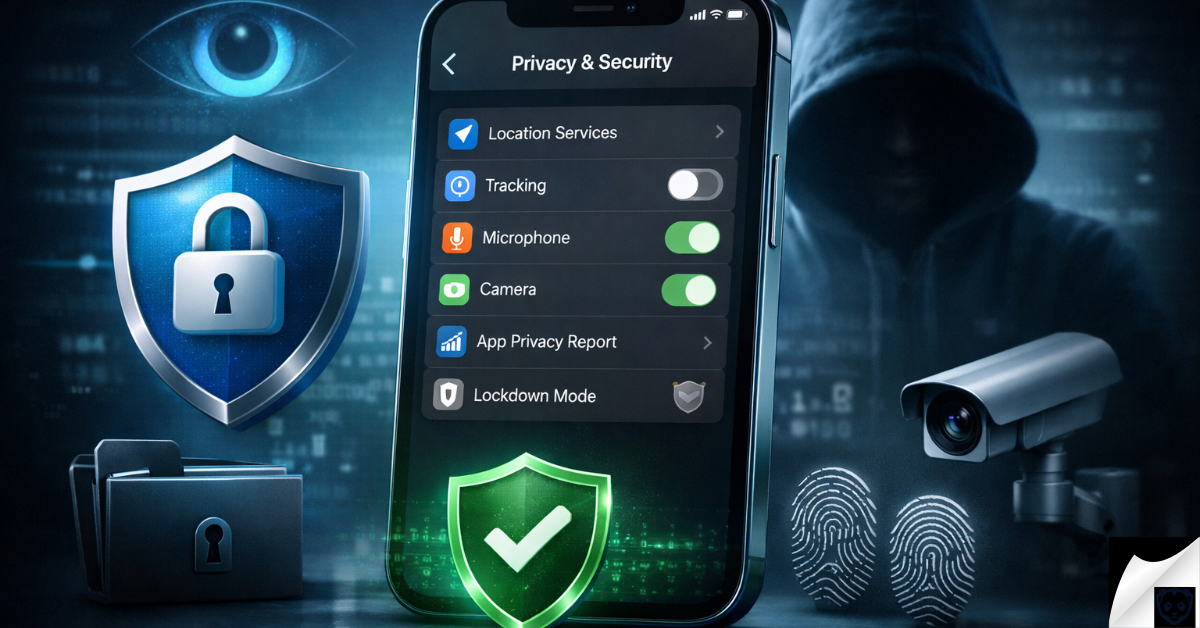
Masking your IP address and using secure browsers won’t fully protect you if your smartphone is leaking data in the background. If you are an iOS user, extending your anonymity means deeply configuring your mobile operating system. Discover the essential tweaks you need in our guide to the Best Privacy Settings for iPhone | OS 19/20.
Operating System and Hardware Telemetry
Your hardware and operating systems are constantly “phoning home.” Total anonymity is impossible if your foundational OS is compromising you.
Clearing your cookies and using private browsing mode used to be the gold standard for online anonymity, but modern surveillance has evolved. Today, data brokers don’t need to drop a file on your computer; they can identify you perfectly just by analyzing your typing speed and mouse movements. Discover the terrifying next generation of tracking in Beyond the Cookie: How AI-Powered Behavioral Fingerprinting is Redefining Surveillance in 2026.
For example, if you are compiling code or working on a MacBook Pro, macOS utilizes background services like OCSP (Online Certificate Status Protocol) to check app signatures. Historically, these checks bypassed local VPNs, sending unencrypted data to Apple servers detailing exactly when you opened specific applications. Similarly, background processes on Android smartphones—especially those with heavily modified interfaces—routinely broadcast device health, location metadata, and app usage statistics to default servers, completely bypassing whatever privacy browser you installed.
Deep Packet Inspection (DPI) and DNS Leaks
When you type a URL into your browser, the Domain Name System (DNS) translates that human-readable name into an IP address. By default, these requests are handled by your ISP in plain text.
Even if you visit an encrypted HTTPS website, your ISP can still see the domain you are requesting via the Server Name Indication (SNI) packet. To combat basic encryption, sophisticated firewalls and ISPs use Deep Packet Inspection (DPI) to analyze the actual payload and structure of your traffic. If they cannot read the data, they can identify the type of data (e.g., identifying Tor traffic or VPN protocols) and throttle or block it accordingly. To truly stay anonymous online, your DNS requests must be encrypted using protocols like DNS over HTTPS (DoH) or DNS over TLS (DoT).
The Trap of Cross-Pollination (OPSEC Failures)
The most sophisticated technical setup in the world is useless against human error. Cross-pollination occurs when you accidentally mix your anonymous identity with your real-world identity.
Consider the daily tasks of managing online infrastructure. If you manage a WordPress website or a high-traffic server, logging into your hosting dashboard without your privacy setup active, and then logging into an anonymous forum a moment later from the same IP, permanently links the two. Even in decentralized environments like Web3, pseudonymous does not mean anonymous. If you are analyzing crypto markets or interacting with decentralized finance (DeFi) protocols, your hardware wallet’s RPC (Remote Procedure Call) requests often leak your true home IP address to third-party node providers unless strictly routed through a proxy or Tor.
Signs Your Digital Identity is Heavily Compromised
Awareness is the first step toward remediation. If you observe the following symptoms, your current OPSEC is failing, and your data is actively being aggregated:
- Cross-Device Ad Synchronization: You search for a niche product on your smartphone while on mobile data, and an hour later, an ad for that exact product appears on your laptop connected to your home Wi-Fi. This indicates aggressive IP and device-graph linking.
- Shadow Profiles in Action: You create a brand-new, sterile email address for a specific platform, but the platform immediately suggests “people you may know”—friends, family, and colleagues—based entirely on your device fingerprint or hidden contact list scraping.
- De-anonymized Crypto Transactions: You receive targeted airdrops, spam tokens, or phishing attempts directly related to a “private” transaction you made off an exchange, proving your wallet addresses are linked to a public IP or exchange KYC data.
A Layered Approach to Stay Anonymous Online
There is no single software that grants instant invisibility. To truly stay anonymous online, you must adopt a defense-in-depth strategy. This means building multiple layers of security so that if one layer fails or is compromised, your core identity remains hidden. We break this down into four critical phases of operational security (OPSEC).
True anonymity isn’t just about hiding your browsing history; it’s also about preventing corporations from knowing your real-world coordinates. Your digital footprint is deeply tied to where you go physically. Take the next step in securing your identity by learning exactly How to Stop Apps from Tracking Your Location.
Phase 1: Network and Infrastructure Isolation
Your Internet Protocol (IP) address is the foundation of your digital tracking profile. The first step is completely masking your point of origin.
- Implement a Strict No-Logs VPN: Do not rely on free VPNs; they monetize your data by selling your bandwidth or browsing habits to the highest bidder. Purchase a reputable, audited, no-logs VPN that utilizes the WireGuard or OpenVPN protocols. Ensure it has a reliable “kill switch” that immediately severs your internet connection if the encrypted tunnel drops, preventing accidental IP leaks.
- Embrace the Tor Network for Sensitive Operations: For high-stakes research, whistleblowing, or simply accessing the web without any geographic or ISP biases, the Tor Browser is non-negotiable. Tor routes your traffic through three random, encrypted nodes (Entry, Relay, and Exit) spread across the globe. By the time your request reaches the destination website, it is mathematically decoupled from your real IP address.
- Router-Level Encryption: If you are managing multiple devices (such as a laptop for development and a smartphone for testing), configuring a VPN directly on your physical router ensures that every device on your network is automatically encrypted before the data ever reaches your ISP.
Phase 2: Operating System and Hardware Hardening
Your hardware and host operating system often betray you before your browser even opens. Standard operating systems are designed for convenience, constantly syncing data with Apple, Microsoft, or Google servers.
- Utilize Amnesic Live Operating Systems: For the highest level of anonymity, boot your computer using a live, USB-based operating system like Tails (The Amnesic Incognito Live System). Tails forces all outgoing connections through the Tor network and stores absolutely nothing on your local hard drive. The moment you unplug the USB, every trace of your session—every downloaded file, visited site, and cached image—is cryptographically erased from the RAM.
- De-Google Your Mobile Device: Mainstream smartphones are the ultimate tracking devices. If you are serious about privacy, consider flashing a custom, privacy-focused Android ROM (such as CalyxOS or DivestOS) that strips out Google Play Services and background telemetry. Use open-source app repositories like F-Droid instead of proprietary app stores.
- Disable Hardware Tracking Vectors: Turn off Bluetooth and Wi-Fi scanning when not actively in use. Modern smartphones constantly ping nearby Wi-Fi networks and Bluetooth beacons to pinpoint your location, even when your GPS is completely disabled.
Phase 3: Defeating Browser Fingerprinting
As established, your browser configuration is highly unique. To stay anonymous online, you must blend in with the crowd rather than trying to build an impenetrable, customized fortress.
- Use the Tor Browser Ecosystem: The Tor Browser is explicitly designed to make all its users look exactly the same. It standardizes window sizes, blocks canvas fingerprinting by default, and groups your browser identity with millions of others. Never install custom extensions on the Tor Browser, as they alter your fingerprint and defeat its core purpose.
- Deploy Compartmentalized Browsers: Stop doing everything in one application. Use a “dirty” browser (like Edge or Chrome) strictly for accounts tied to your real identity (banking, real-name social media). Use a hardened, “clean” browser (like LibreWolf or Mullvad Browser) exclusively for anonymous research, crypto market analysis, or reading news. Never cross-contaminate these environments.
- Neutralize JavaScript: JavaScript is the language that allows websites to execute complex tracking scripts on your machine. Using extensions like uBlock Origin or NoScript allows you to block JavaScript globally and only allow it on websites you absolutely trust.
Phase 4: Identity Obfuscation and Alias Management
If you perfectly secure your network and browser but log into an account using your primary email address, your anonymity is instantly shattered.
- Generate Burner Aliases: Never use your real email address to register for forums, newsletters, or online services. Utilize email aliasing services that generate unique, random email addresses for every single account. If one platform is breached, the hackers only obtain a useless string of characters, not your master email.
- Use Virtual Phone Numbers: Many platforms demand SMS verification. Using your real SIM card links your anonymous account directly to your telecom provider and, by extension, your government ID. Utilize encrypted, anonymous VoIP numbers or temporary SMS services for account verifications.
- Sanitize Your Financial Footprint: Purchasing hosting, domain names, or VPN subscriptions with a personal credit card leaves an undeniable paper trail. Use privacy-centric cryptocurrencies (like Monero, which obfuscates the sender, receiver, and amount) or prepaid, masked virtual debit cards funded via cash to pay for your digital infrastructure.
Pro Tips and Expert Insights for Extreme Threat Models
If you are managing sensitive projects, running alternative news platforms, or operating heavily targeted websites, standard privacy advice is insufficient. Consider these advanced operational protocols:
- Scrub Your Metadata: Every image you upload contains EXIF data (GPS coordinates, camera model, timestamp). Every PDF or Word document contains author names and software versions. Before publishing any file to an anonymous project, run it through a metadata scrubber like ExifTool or Metadata Anonymisation Toolkit (MAT2).
- Beware of Stylometry: Artificial intelligence can now identify you based purely on your writing style. Your vocabulary, punctuation habits, and sentence structures act as a linguistic fingerprint. When writing for an anonymous blog or forum, intentionally alter your tone, or run your text through translation layers (e.g., English to German, back to English) to strip away your natural writing cadence.
- Physical OPSEC: Do not underestimate physical surveillance. If you are working on highly sensitive data, use privacy screens on your laptop, physically cover your webcams, and consider using Faraday bags for your mobile devices to completely block cellular, GPS, and Wi-Fi signals when traveling.
Frequently Asked Questions (FAQ)
Is it illegal to be anonymous online?
No. In most democratic nations, utilizing privacy tools, VPNs, and encrypted communications is a fundamental digital right. However, using these tools to mask illegal activities remains a crime. The tools themselves (like the Tor network) are neutral and perfectly legal to use for protecting your privacy from data brokers and targeted advertising.
Can my ISP see what I am doing if I use a VPN?
When you use a reliable VPN, your ISP can only see that you are connected to a specific IP address (the VPN server) and the total amount of encrypted data you are transferring. They cannot see the websites you visit, the videos you watch, or the files you download.
Does a Mac offer better privacy than a Windows PC?
While macOS generally has fewer third-party adware integrations out of the box compared to Windows, Apple still collects massive amounts of telemetry data tightly integrated into their ecosystem. From an absolute anonymity standpoint, neither is ideal. Open-source Linux distributions provide a much higher baseline for privacy and user control.
Why shouldn’t I use free VPN services?
Running a global server network is incredibly expensive. If a VPN service is free, you are not the customer; you are the product. Free VPNs often inject tracking cookies into your browser, log your internet traffic, and sell your browsing profile to third-party marketing agencies, completely defeating the purpose of using a VPN.
What is the difference between Tor and a VPN?
A VPN routes your traffic through a single, centralized server owned by a private company; you must trust that company not to log your data. Tor routes your traffic through a decentralized network of three random, volunteer-run nodes, encrypting the data at each step. A VPN is faster and better for general security, while Tor is significantly slower but provides mathematical, trustless anonymity.
Can browser extensions compromise my privacy?
Yes, significantly. Every extension you install has access to your browsing data and modifies your browser’s fingerprint. Malicious or poorly coded extensions can track your keystrokes, inject ads, or leak your IP address. Keep extensions to an absolute minimum, relying only on vetted, open-source tools like uBlock Origin.
Conclusion: Your Blueprint to Reclaiming Digital Sovereignty
The internet defaults to total surveillance. Tech giants, data brokers, and network operators have built trillion-dollar empires on the invisible harvesting of your digital footprint. To effectively stay anonymous online, you must shift from a passive consumer to an active defender of your own data.
Achieving privacy is not about downloading a single app; it is a lifestyle change built on compartmentalization. By masking your network traffic, neutralizing browser fingerprinting, utilizing amnesic operating systems, and aggressively protecting your real-world credentials, you create an environment where your digital actions cannot be tied back to your physical identity. Stop sacrificing your privacy for mere convenience. Audit your hardware, segment your browsing habits, deploy the tools outlined in this guide, and take immediate action to secure your digital sovereignty today.

No Comment! Be the first one.