

Signs Your Smart Home Has Been Hacked (IoT Security Guide)
We all love the convenience of a connected house, but brushing off smart home hacking symptoms can quickly turn your high-tech haven into a major privacy nightmare. If your thermostat starts...

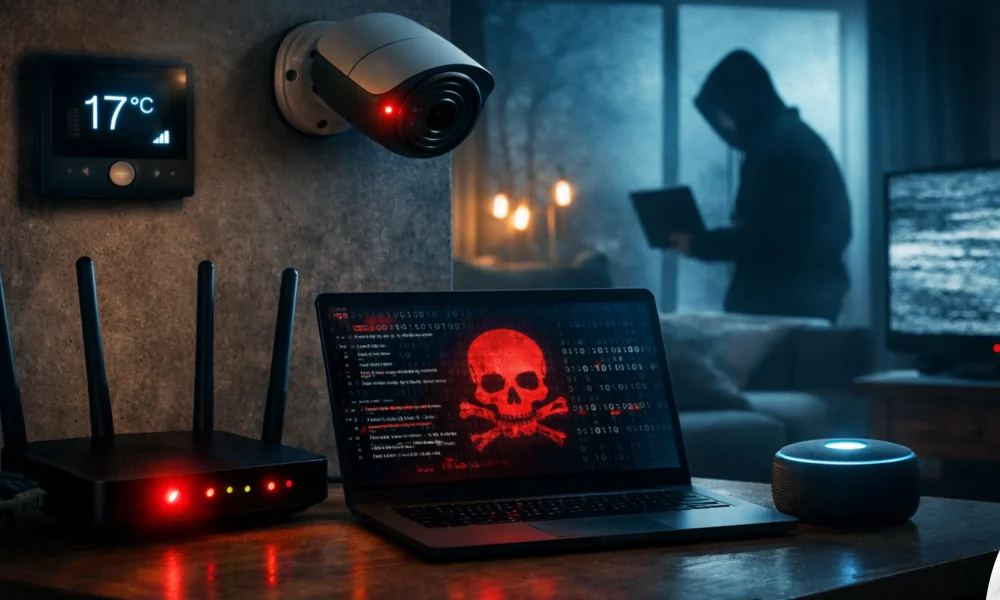
We all love the convenience of a connected house, but brushing off smart home hacking symptoms can quickly turn your high-tech haven into a major privacy nightmare. If your thermostat starts adjusting itself, your security cameras pan around on their own, or your Wi-Fi data suddenly spikes, don’t just write it off as a weird glitch. These are often the very first warning signs that a hacker has breached your network.
Table Of Content
- Are My Smart Devices Hacked?
- Most Common Smart Home Hacking Symptoms
- “Ghosting” and Autonomous Device Behavior
- Unexpected Audio or Video Surveillance
- Massive Spikes in Network Traffic
- Password Rejections and Altered Settings
- Unrecognized Devices on Your Router
- How Do IoT Devices Get Compromised?
- Hardcoded and Default Passwords
- Outdated Firmware and Unpatched Exploits
- Man-in-the-Middle (MitM) Attacks
- Exposed Universal Plug and Play (UPnP)
- Global Smart Home Ecosystem: Brands, OS, and Protocols
- 5 Critical Mistakes Smart Home Owners Make (And How to Fix Them)
- Mistake 1: Lumping Everything on a Single Network
- Mistake 2: Leaving UPnP Enabled on the Router
- Mistake 3: Relying on Cloud-Dependent Devices Without 2FA
- Mistake 4: Ignoring Firmware Updates
- Mistake 5: Buying Generic, White-Label Devices
- Defensive Tools and Methods to Secure Your Network
- Hardware Firewalls and Deep Packet Inspection
- DNS Filtering (Pi-hole or NextDNS)
- Network Monitoring Applications
- Expert Insights: Future of IoT Security
- Frequently Asked Questions (FAQ)
- Can someone hack my smart TV and watch me?
- How do I check if my home router has been hacked?
- Is it safer to use Zigbee/Z-Wave instead of Wi-Fi devices?
- Can a hacked smart home device steal my bank details?
- Will a VPN protect my smart home devices?
- What should I do immediately if I suspect a device is hacked?
- Addressing Smart Home Hacking Symptoms Decisively
- Take Back Control of Your Smart Home
The hard truth is that many Internet of Things (IoT) devices are surprisingly vulnerable. Because manufacturers often care more about quick setups and fast sales than robust security, millions of our everyday gadgets are left wide open to remote hijacking and botnet attacks.
Detecting a compromised smart camera or a glitchy thermostat is often the first step in uncovering a much larger security breach within your household. If your IoT devices are acting up, there is a high probability that your primary accounts or network router have also been targeted. To perform a full security audit and confirm if your digital life is under attack, follow our How to Know If You’ve Been Hacked | Complete 2026 Guide.
This comprehensive guide will walk you through the undeniable signs of IoT compromise, the technical mechanics of how these breaches occur, and the exact steps you must take to lock down your network. Whether you are running a simple Alexa setup or a complex, locally hosted Home Assistant server, understanding these vulnerabilities is your first line of defense.
Are My Smart Devices Hacked?
If your smart devices operate autonomously without your input, your router shows unknown IP addresses, or your internet provider warns you of malicious traffic, your network is likely compromised. Immediate action requires disconnecting the suspicious device, changing your Wi-Fi password, and updating all IoT firmware. Ignoring these early warning signs can lead to identity theft, ransomware attacks, or your devices being conscripted into global botnets.
Most Common Smart Home Hacking Symptoms
Identifying a breach early can prevent attackers from moving laterally across your network to access personal computers and financial data. Look out for these critical indicators of unauthorized access.
“Ghosting” and Autonomous Device Behavior
One of the most terrifying symptoms is a device operating entirely on its own. This is often referred to as “ghosting.” If your smart locks disengage at random times, your lights flicker in distinct patterns, or your smart thermostat drops the temperature drastically, someone else may be at the controls.
While occasional glitches happen due to server outages, repeated, deliberate-seeming actions are a massive red flag. Attackers often test their access by manipulating basic environmental controls before moving on to more sensitive data.
Unexpected Audio or Video Surveillance
Baby monitors and indoor security cameras are prime targets for malicious actors. If you hear strange voices, static, or background noise coming from a two-way audio camera, disconnect it immediately.
Additionally, watch the physical movement of PTZ (pan-tilt-zoom) cameras. If the lens is tracking movement or facing a different direction than you left it, a remote user is likely viewing the feed. Pay close attention to the LED indicator lights; if the recording light activates when you haven’t triggered a recording, assume the feed is compromised.
A compromised smart speaker does more than just invade your privacy in the moment; it gives cybercriminals the perfect tool to quietly record your daily conversations. These harvested audio samples are exactly what attackers need to feed into artificial intelligence programs to flawlessly clone your voice. Discover the terrifying reality of this threat in Is That Really Them? How to Detect Deepfake Audio Scams (2026).
Massive Spikes in Network Traffic
IoT devices typically use very little bandwidth. A smart plug or thermostat only needs to send tiny packets of data to a cloud server. If your router’s traffic logs show an IoT device uploading gigabytes of data, it is a glaring symptom of a hack.
Attackers frequently hijack smart devices to form botnets (like the infamous Mirai botnet). Your smart TV or connected fridge might be silently participating in a Distributed Denial of Service (DDoS) attack against a major website, consuming your bandwidth in the process.
Password Rejections and Altered Settings
If you find yourself locked out of your smart home companion app, do not assume you simply forgot the password. Hackers will often change device credentials immediately after gaining access to lock the legitimate owner out.
Even if your password works, check the internal settings. Look for new, unrecognized user accounts, changes to notification email addresses, or the disabling of two-factor authentication (2FA). These are classic persistence mechanisms used by attackers.
Unrecognized Devices on Your Router
Your router is the gateway to your home. By logging into your router’s administrative panel, you can view the DHCP client list—a record of everything connected to your network.
If you see strange device names, unrecognized MAC addresses, or devices categorized as “Unknown,” your network perimeter may have been breached. This is often a sign that an attacker has cracked your Wi-Fi password and is sitting directly on your local network.
How Do IoT Devices Get Compromised?
Understanding the “why” and “how” is crucial for stopping future attacks. Smart homes don’t get hacked by magic; they are exploited through well-documented attack vectors that prey on misconfigurations and lazy security practices.
Hardcoded and Default Passwords
The number one cause of IoT breaches is the failure to change default credentials. Many cheap, white-labeled smart devices ship with administrative usernames and passwords like “admin/admin” or “root/12345.”
Hackers use automated scanners to scour the internet for open ports connected to these devices. Once they find one, they simply input the default credentials. If they work, the device is instantly compromised.
Outdated Firmware and Unpatched Exploits
Software vulnerabilities are discovered daily. Reputable companies patch these flaws through firmware updates. However, many users ignore update prompts, and some budget IoT manufacturers never release patches at all.
Since most smart home ecosystems are controlled via mobile apps, a compromised smartphone is the ultimate skeleton key for hackers to access your home security. If you notice your smart locks or lights behaving strangely, the breach might actually start with your mobile device. Ensure your primary controller is secure by checking for these Signs Your iPhone is Hacked | 2026 Update.
When a vulnerability becomes public knowledge (a zero-day or N-day exploit), attackers write scripts to mass-exploit any device still running the old, vulnerable firmware. This allows them to bypass authentication entirely.
Man-in-the-Middle (MitM) Attacks
If your smart device communicates with its cloud server using unencrypted HTTP instead of secure HTTPS, attackers can intercept the data. This is known as a Man-in-the-Middle attack.
If an attacker is on your local network or monitoring traffic at the ISP level, they can capture your login credentials in plain text as they travel from your smartphone to the smart device.
Exposed Universal Plug and Play (UPnP)
UPnP is a router feature designed to help devices discover each other easily. Unfortunately, it also allows smart devices to automatically open ports on your router’s firewall, exposing them directly to the public internet.
If a vulnerable IP camera uses UPnP to open port 80 to the outside world, anyone with a specialized search engine (like Shodan) can find and attack that camera without ever needing to hack your Wi-Fi password.
Global Smart Home Ecosystem: Brands, OS, and Protocols
To secure your home, you must understand the technology running it. The global smart home market is dominated by a few major players, each utilizing specific operating systems and communication protocols. Knowing these helps you identify where vulnerabilities might lie.
| Brand / Ecosystem | Primary Hubs | Main Protocols Used | Security Posture & Core Software |
|---|---|---|---|
| Amazon Alexa | Echo, Echo Show | Wi-Fi, Zigbee, Matter, Thread | Fire OS (Android-based). High cloud dependency. Strong backend security, but highly susceptible to voice-spoofing and third-party skill vulnerabilities. |
| Google Home | Nest Hub, Nest Audio | Wi-Fi, Bluetooth, Matter, Thread | Fuchsia / Cast OS. Excellent continuous patching. Heavily integrated with Google accounts, making 2FA absolutely essential to prevent full ecosystem takeover. |
| Apple HomeKit | HomePod, Apple TV | Wi-Fi, Bluetooth, Matter, Thread | tvOS / audioOS. Unmatched privacy. Relies heavily on end-to-end encryption and local processing. Hardest ecosystem for remote hackers to breach. |
| Samsung SmartThings | SmartThings Hub, Aeotec | Wi-Fi, Zigbee, Z-Wave, Matter | Linux-based custom firmware. Excellent compatibility but broader attack surface due to third-party integrations and cloud-to-cloud API connections. |
| Home Assistant (DIY) | Raspberry Pi, Mini PCs | All (via USB dongles) | Home Assistant OS (Linux). Fully local control. Highest security potential, but requires advanced user knowledge to secure remote access properly. |
5 Critical Mistakes Smart Home Owners Make (And How to Fix Them)
Even the most expensive, highly-rated smart devices can be compromised if the network infrastructure is poorly configured. Here are the five most common mistakes users make, and the exact steps to remediate them.
Mistake 1: Lumping Everything on a Single Network
The Error: Connecting your smart fridge, security cameras, work laptop, and personal smartphone to the exact same Wi-Fi network. If a hacker breaches a cheap smart bulb, they can use it as a bridge to access the laptop containing your financial records.
Fix: Implement Network Segmentation. Log into your router and enable the “Guest Network” feature. Connect all your IoT and smart devices to this Guest Network. This creates a VLAN (Virtual Local Area Network) that isolates smart devices from your critical personal hardware.
Mistake 2: Leaving UPnP Enabled on the Router
The Error: Universal Plug and Play (UPnP) is turned on by default on most consumer routers. It allows devices to punch holes through your firewall without asking for permission.
Fix: Access your router’s administrator settings, locate the UPnP toggle (usually under Advanced Settings or WAN), and switch it off. You may have to manually forward ports for certain gaming consoles afterward, but your network will be exponentially safer.
Mistake 3: Relying on Cloud-Dependent Devices Without 2FA
The Error: Buying smart cameras and locks that require a cloud account to operate, but failing to enable Two-Factor Authentication (2FA) on that account. Hackers use credential stuffing (using passwords leaked from other websites) to guess your login.
Fix: Go through every single smart home companion app on your phone. Find the security settings and mandate 2FA. Use an authenticator app (like Authy or Google Authenticator) rather than SMS-based 2FA, which is vulnerable to SIM-swapping.
Mistake 4: Ignoring Firmware Updates
The Error: Dismissing the “Update Available” notification on your smart home apps because you don’t want to wait for the device to reboot.
Fix: Enable auto-updates on every device that supports it. For devices that require manual updates, set a calendar reminder to check for firmware patches on the first of every month. Treat an unpatched device as a compromised device.
Mistake 5: Buying Generic, White-Label Devices
The Error: Purchasing extremely cheap, unbranded smart plugs or cameras from massive online marketplaces. These devices often share identical, vulnerable firmware and route data through unverified overseas servers.
Fix: Stick to reputable brands that have a clear, documented history of responding to security researchers and issuing security patches. If a device costs a fraction of the market average, you are likely paying for it with your privacy.
Defensive Tools and Methods to Secure Your Network
You don’t need a degree in cybersecurity to secure your home. Utilizing the right tools and network management methods can drastically reduce your attack surface.
Hardware Firewalls and Deep Packet Inspection
Standard ISP routers offer minimal protection. Upgrading to a prosumer router or adding a hardware firewall (like a pfSense box) allows for Deep Packet Inspection (DPI). DPI analyzes the actual payload of the data leaving your network, blocking malicious traffic and preventing botnet command-and-control communications.
Many IoT devices are hacked simply because users reuse the same passwords across multiple platforms. If your login credentials were part of a previous corporate data breach, hackers can easily hijack your smart home hub in seconds. Don’t wait for your privacy to be invaded; learn How to Check if Your Email Was Leaked to secure your access points immediately.
DNS Filtering (Pi-hole or NextDNS)
Many smart devices are hardcoded to “phone home” to telemetry servers, tracking your usage habits. You can stop this by routing your home’s internet requests through a DNS sinkhole like Pi-hole.
If a compromised device attempts to contact a known malicious domain or a hacker’s server, the DNS filter blocks the request at the network level, effectively neutralizing the threat.
Network Monitoring Applications
Visibility is your best defense. Utilize network scanning applications to map your home network regularly. These tools scan your IP range and alert you the moment a new, unrecognized device connects to your Wi-Fi.
Regularly reviewing your connected client list ensures that no rogue devices (like hidden Raspberry Pis or unauthorized laptops) are siphoning data from your local environment.
Expert Insights: Future of IoT Security
The landscape of smart home security is shifting. Historically, manufacturers treated security as an afterthought. However, rising legislative pressure and consumer awareness are forcing changes in how IoT networks operate.
Rise of the Matter Protocol: The new Matter standard is a game-changer for security. Because Matter devices are designed to communicate locally over Thread or Wi-Fi without needing a constant cloud connection, the external attack surface is massively reduced. Devices authenticate using blockchain-style public key infrastructure (PKI), ensuring that rogue devices cannot easily spoof legitimate hardware.
A compromised smart plug or light bulb can act as a bridge for hackers to move laterally across your network and infect your personal computer. Once they gain a foothold in your smart home, their next target is usually your laptop to steal financial data or install keyloggers. Stay vigilant by monitoring the 10 Hidden Symptoms of Malware on Your Laptop.
AI-Driven Behavioral Analysis: In the near future, home routers will rely heavily on localized artificial intelligence to establish a baseline of normal device behavior. If a smart bulb suddenly attempts to access your network attached storage (NAS) drive—a highly abnormal behavior—the router’s AI will automatically quarantine the device. This shift from signature-based blocking to behavioral analysis will be critical in stopping zero-day IoT attacks.
Frequently Asked Questions (FAQ)
Can someone hack my smart TV and watch me?
Yes. If your smart TV has a built-in microphone or webcam, and the underlying software (often Android TV or Tizen) is outdated or compromised, remote attackers can activate the hardware. Always cover the physical camera lens when not in use and deny camera permissions to untrusted third-party apps.
How do I check if my home router has been hacked?
Log into your router’s administrative dashboard. Look for changes you didn’t make, such as altered DNS server settings (DNS hijacking), port forwarding rules you didn’t create, or disabled firewall settings. If your router’s login password has been changed without your knowledge, it is definitely compromised.
Is it safer to use Zigbee/Z-Wave instead of Wi-Fi devices?
Generally, yes. Zigbee and Z-Wave devices do not connect directly to the internet; they communicate with a local hub. An attacker would have to breach your main hub or be within close physical proximity to your home to intercept Zigbee/Z-Wave radio frequencies. This local isolation makes them inherently safer than cheap Wi-Fi devices.
Can a hacked smart home device steal my bank details?
A smart plug itself doesn’t hold your bank details. However, hackers use compromised IoT devices as a “pivot point.” Once inside the network via a smart device, they can launch attacks against your PC or smartphone connected to the same network, utilizing packet sniffing to steal sensitive financial data.
Will a VPN protect my smart home devices?
A standard VPN installed on your phone or PC does not protect your IoT devices. To protect smart home gadgets, the VPN must be configured directly on your router. A router-level VPN encrypts all data leaving your home, protecting cheap IoT devices from ISP snooping and Man-in-the-Middle attacks on the broader internet.
What should I do immediately if I suspect a device is hacked?
Unplug the power source of the suspicious device immediately. Next, log into your router and change your Wi-Fi password to kick off any unauthorized users. Finally, factory reset the compromised device, update its firmware, and set up a new, complex password before reconnecting it.
Addressing Smart Home Hacking Symptoms Decisively
If you have identified smart home hacking symptoms within your network, panic is not the answer; methodical remediation is. The ultimate solution involves a combination of immediate containment and long-term architectural changes to your network.
Begin by physically disconnecting the power from any device exhibiting autonomous behavior or consuming massive bandwidth. Perform a hard factory reset on the hardware—usually requiring holding a physical pinhole button for 10-15 seconds. This wipes malicious scripts stored in volatile memory.
Hackers who gain access to your smart speakers don’t just listen to your conversations; they can record and harvest your voice data to fuel sophisticated social engineering attacks. With enough audio samples, they can use artificial intelligence to impersonate you and target your family members. Protect your voice privacy by understanding How to AI Voice Scam Detection | Deepfake Audio.
Next, secure the perimeter. Change your main router administrative password and your Wi-Fi SSID password. Disable UPnP to close open ports, and create an isolated Guest Network dedicated strictly to IoT hardware. This ensures that even if a cheap smart bulb is breached again, the blast radius is confined to that specific VLAN, keeping your personal computers entirely safe.
Take Back Control of Your Smart Home
At the end of the day, the perks of a smart home shouldn’t force you to trade away your privacy. Spotting those early warning signs of unauthorized access is one of the best habits you can build as a modern homeowner. Whether a device is acting like it has a mind of its own or you’re seeing massive, unexplained data spikes, think of these red flags as your network asking for a lifeline. The good news is that you can easily take back control. By ditching those default passwords, setting up a separate Wi-Fi network just for your gadgets, and actually installing those firmware updates, you make it incredibly hard for hackers to get in.
Don’t wait for a breach to happen. Take a few minutes today to log into your router, disable UPnP, and double-check exactly what is connected to your network. Staying proactive is the best way to keep your smart home feeling like a safe haven, rather than an easy target for cybercriminals.




No Comment! Be the first one.