

How to Recover a Hacked Instagram Account in 2026
Watching your Instagram account slip out of your control is a terrifying experience. One minute you are scrolling through your feed, and the next, you are locked out, watching a malicious actor...

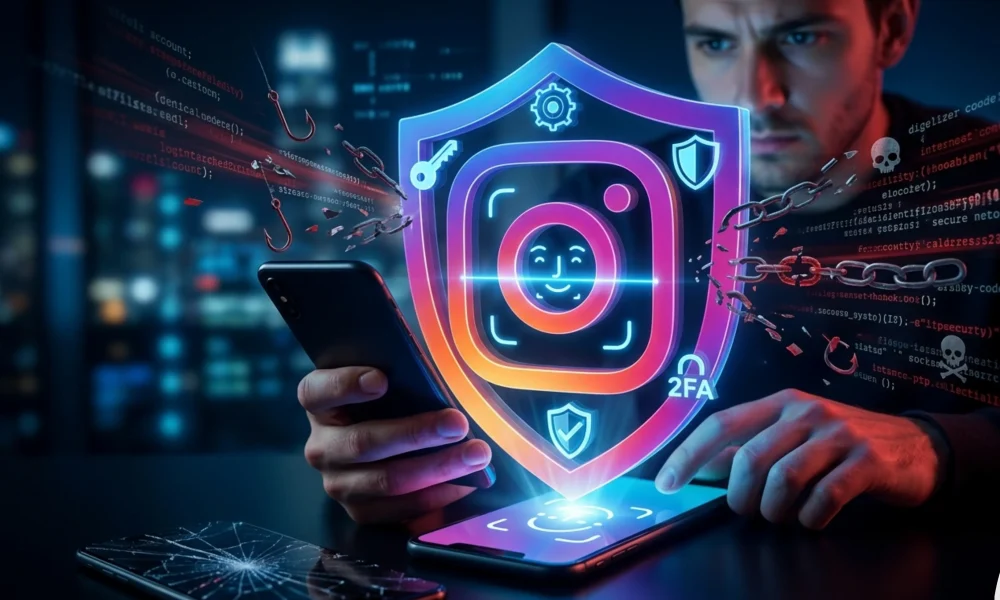
Watching your Instagram account slip out of your control is a terrifying experience. One minute you are scrolling through your feed, and the next, you are locked out, watching a malicious actor message your friends, delete your memories, or run cryptocurrency scams under your name. If you are panicking right now, take a deep breath. You are not alone, and more importantly, this situation is entirely fixable.
Table Of Content
- How to Recover a Hacked Instagram Account Fast
- Recognizing the Red Flags: Early Signs Your Instagram is Hacked
- The Anatomy of an Attack: How Instagram Accounts Get Compromised
- 1. Advanced Phishing and Spear-Phishing
- 2. Session Token Hijacking
- 3. SIM Swapping and SMS Interception
- 4. Third-Party App Vulnerabilities
- Step-by-Step: How to Recover a Hacked Instagram Account in 2026
- Scenario 1: You Still Have Access to Your Email or Phone Number
- Scenario 2: The Hacker Changed Your Email and Password
- Scenario 3: The Hacker Enabled Their Own 2FA (Total Lockout)
- Essential Cybersecurity Tools to Protect Your Digital Identity
- Pro Tips from Cybersecurity Experts
- Frequently Asked Questions (FAQ)
- Can Instagram customer service recover my account over the phone?
- How long does the video selfie verification take?
- What if I don’t have any photos of myself on my account?
- Why is the hacker asking me for a ransom?
- Can third-party “recovery experts” get my account back?
- How can I prevent session hijacking?
- Conclusion: Securing Your Digital Future
This comprehensive guide will show you exactly how to recover a hacked Instagram account in 2026. Threat actors have evolved, utilizing sophisticated phishing networks, session hijacking, and SIM-swapping techniques. However, Instagram’s internal security recovery protocols have also advanced. Whether the hacker has changed your email, altered your password, or even locked you out using their own two-factor authentication (2FA) app, there is a technical pathway to reclaim your digital identity.
We will break down the exact recovery architecture, analyze how these breaches occur, and walk you through the precise, step-by-step methodology to forcefully eject unauthorized users from your profile.
How to Recover a Hacked Instagram Account Fast
If you need immediate action, go directly to your mobile browser and navigate to instagram.com/hacked. Select “My account was hacked,” enter your original username, phone number, or email address, and follow the on-screen prompts. Instagram will route you through their automated recovery system, which may require you to submit a video selfie to verify your identity against the photos on your profile.
Recognizing the Red Flags: Early Signs Your Instagram is Hacked
Cybercriminals rarely announce their presence immediately. Often, they lurk in the background, mapping your account connections or harvesting your data before locking you out. Identifying a breach early can be the difference between a quick password reset and a weeks-long recovery battle. Look for these critical indicators:
- Unexpected Password Reset Emails: If you receive emails from Instagram containing password reset links or security codes that you did not request, a threat actor is actively trying to brute-force or bypass your credentials.
- Unrecognized Login Alerts: Instagram tracks device metadata and IP addresses. If you get an alert about a login from an unknown device, browser, or geographic location, your session token or password has been compromised.
- Changes to Account Details: Hackers will immediately attempt to sever your connection to the account. If your bio, profile picture, linked email address, or phone number changes without your input, you are under attack.
- Ghost Activity: You might notice that you are suddenly following accounts you do not recognize, liking strange posts, or sending automated direct messages containing malicious links to your followers.
- Sudden De-authentication: The most obvious sign is being unexpectedly logged out of the Instagram app on your primary device and finding your usual password no longer works.
If you suspect your phone is involved—especially if you’re using Android—removing spyware should be a top priority. Follow this guide on how to remove spyware from Android.
The Anatomy of an Attack: How Instagram Accounts Get Compromised
To prevent future attacks, you must understand the attack vectors used in 2026. Hackers do not usually “guess” your password; they exploit psychological manipulation and technical vulnerabilities.
1. Advanced Phishing and Spear-Phishing
Phishing remains the most prevalent attack vector. You might receive a highly convincing Direct Message or email claiming to be from “Instagram Copyright Infringement Support” or offering a “Verified Blue Badge.” These messages contain links to meticulously cloned login pages. The moment you type your credentials and 2FA code into these fake portals, the script captures them and instantly logs into your real account via an automated proxy.
2. Session Token Hijacking
When you log into Instagram on a web browser, the server drops a “session cookie” onto your device so you stay logged in. If you download malicious software—often disguised as browser extensions, pirated software, or fake VPNs—this malware can scrape your browser cookies. The hacker imports your active session cookie into their browser, bypassing the need for a username, password, or 2FA entirely.
3. SIM Swapping and SMS Interception
If you rely on SMS text messages for your two-factor authentication, you are vulnerable to SIM swapping. Attackers use social engineering to trick your mobile carrier into transferring your phone number to a SIM card they control. Once they have your number, they simply trigger an Instagram password reset and receive the SMS recovery code directly to their device.
4. Third-Party App Vulnerabilities
Many users link their Instagram accounts to third-party apps for analytics, follower tracking, or automated posting. If one of these lesser-known applications suffers a data breach, the OAuth tokens granting access to your account can be harvested and abused by bad actors.
If you’ve confirmed that your accounts or devices have been compromised, taking immediate action is critical. Follow this step-by-step recovery guide for hacked accounts to secure your data and prevent further damage.
Step-by-Step: How to Recover a Hacked Instagram Account in 2026
The recovery process depends entirely on how much of your account the hacker has altered. We will start with the easiest scenario and progress to the most severe lockouts. Always perform these steps from a device you previously used to log into Instagram, as the platform’s algorithm recognizes your device ID and IP address, which significantly increases your trust score during the recovery process.
Scenario 1: You Still Have Access to Your Email or Phone Number
If the hacker changed your password but failed to update the underlying contact information, you can recover the account in minutes.
- Open the Instagram app on your primary mobile device.
- On the login screen, tap “Forgot password?” (iOS) or “Get help logging in” (Android).
- Enter your original username, the email address, or the phone number associated with the account.
- Select your preferred recovery method (Email or SMS).
- Check your inbox or messages for the login link or 6-digit security code.
- Enter the code. Once inside, immediately navigate to Settings > Accounts Center > Password and security, change your password to a complex passphrase, and revoke any unrecognized devices.
Scenario 2: The Hacker Changed Your Email and Password
Hackers know that changing your email is the best way to keep you locked out. However, Instagram anticipates this. When an email address is changed, Instagram sends an automated security alert to your original email address.
- Open the inbox of the email account originally linked to your Instagram.
- Search your inbox, spam, and trash folders for an email from security@mail.instagram.com.
- The email will state that your email address was recently changed. Look for a link or button that says “Secure your account here” or “Revert this change.”
- Clicking this link will invalidate the hacker’s new email address and restore your original connection, prompting you to create a new password.
Scenario 3: The Hacker Enabled Their Own 2FA (Total Lockout)
This is the most complex scenario. The hacker has changed your password, updated your email, and activated an authenticator app, meaning even if you reset the password, you cannot get past the 2FA screen. You must trigger Instagram’s manual identity verification.
- Navigate to instagram.com/hacked on your mobile browser.
- Select “My account was hacked” and tap Next.
- Enter your username.
- When prompted for a recovery method you no longer control, tap “Try another way” or “I don’t have access to these.”
- Instagram will ask if you have photos of yourself on your account. Select “Yes, take a selfie video to confirm my account.”
- Enter a secure, uncompromised email address where Instagram’s support team can contact you.
- Follow the on-screen instructions to record a video selfie. You will be asked to turn your head in different directions.
How the Video Selfie Works: Instagram uses advanced facial recognition AI to compare the bone structure and facial geometry in your video selfie with the photos currently posted on your Instagram grid. This process usually takes between 24 to 48 hours. If successful, Instagram will send a bypass link to the secure email you provided, allowing you to bypass the hacker’s 2FA and reclaim the account.
Essential Cybersecurity Tools to Protect Your Digital Identity
Once you recover your account, relying on a basic password is no longer sufficient. Securing your digital footprint requires implementing a modern security stack.
- Hardware Security Keys: Physical keys (like YubiKey) offer the highest level of 2FA. Even if a hacker steals your password and intercepts your SMS codes, they cannot log in without physically plugging this USB key into their device.
- Dedicated Authenticator Apps: Migrate away from SMS-based 2FA. Use apps like Google Authenticator, Microsoft Authenticator, or Authy. These generate time-based, offline codes that cannot be intercepted by SIM swapping.
- Password Managers: Humans are terrible at creating and remembering secure passwords. Utilize an encrypted password manager (such as Bitwarden or 1Password) to generate complex, 24-character alphanumeric passwords for every single account you own.
- Email Forwarding/Aliasing Services: Never use your primary personal email for public social media accounts. Use aliasing services (like Apple’s Hide My Email or SimpleLogin) to create a unique, forward-only email address specifically for Instagram. If that address is leaked in a data breach, your primary inbox remains hidden.
Pro Tips from Cybersecurity Experts
Navigating the aftermath of a breach requires strategic thinking. Here are advanced tactics that go beyond the basic recovery guides:
1. Secure Your Primary Email First: The most common mistake victims make is trying to recover Instagram while their primary email account is still compromised. If a hacker has access to your Gmail or Outlook, they will simply intercept the Instagram recovery emails and delete them before you see them. Always audit your email security, check for hidden forwarding rules, and force a global logout before initiating Instagram recovery.
If your personal data has been exposed in a breach, acting quickly can reduce the damage. Use this emergency checklist after a data breach to secure your accounts immediately.
2. Utilize the “Ask a Friend” Feature: In certain regions, Instagram has rolled out a social verification feature. During the lockout process, you can nominate two friends currently connected to your account. Instagram will send them a secure notification. If both friends confirm your identity within 24 hours, the account is restored to you. Ensure you contact your friends via text or phone call beforehand so they expect the prompt.
3. Check Meta Accounts Center: Because Instagram and Facebook share backend infrastructure via the Meta Accounts Center, a hacker might link their own Facebook account to your Instagram. Once you regain access, immediately go to the Accounts Center settings and severe any connected profiles that do not belong to you. Otherwise, the hacker can use their Facebook login to quietly regain access to your Instagram days later.
Frequently Asked Questions (FAQ)
Can Instagram customer service recover my account over the phone?
No. Meta (Instagram’s parent company) does not have a public phone number for customer support regarding hacked accounts. Do not trust any website, forum user, or “hacker for hire” who claims they can call Instagram for you. All legitimate recovery happens through the automated app prompts and instagram.com/hacked.
How long does the video selfie verification take?
Typically, the automated AI review takes between 20 minutes and 48 hours. If the system cannot establish a match, the video is routed to human moderators, which may extend the timeline. If your request is denied, you can immediately submit a new video selfie. Ensure you are in a well-lit room and remove glasses or hats.
What if I don’t have any photos of myself on my account?
If you run a meme page, a business account, or an anonymous profile without personal photos, the video selfie method will not work. In this case, you must rely on the “Revert this change” email sent to your original inbox, or you must provide Meta with business registration documents if your account is linked to a verified Meta Business Manager.
Why is the hacker asking me for a ransom?
Hackers often contact victims via WhatsApp or a secondary account, demanding cryptocurrency in exchange for returning the account. Never pay the ransom. There is zero guarantee they will return the account, and paying them marks you as a profitable target, inviting future attacks on your other digital assets.
Can third-party “recovery experts” get my account back?
Absolutely not. The internet is flooded with scams offering to “hack back” your account for a fee. These are recovery scams. They will take your money, ask for your email passwords, and cause further damage. Only the official Instagram infrastructure has the backend database access required to restore your account.
How can I prevent session hijacking?
To prevent session hijacking, never log into your Instagram account on public computers or unencrypted public Wi-Fi without a robust VPN. Regularly clear your browser cookies, and aggressively audit your browser extensions, removing any tools that you do not absolutely need or that come from untrusted developers.
Conclusion: Securing Your Digital Future
Learning how to recover a hacked Instagram account in 2026 requires patience, technical awareness, and a calm approach to utilizing Meta’s official recovery channels. The process can be frustrating, especially when dealing with automated AI systems, but persistence is key. By immediately securing your linked email, utilizing the instagram.com/hacked portal, and submitting a video selfie, you leverage the exact protocols designed to eject malicious actors.
However, recovery is only half the battle. The modern threat landscape dictates that a proactive defense is mandatory. Once your profile is safely back in your hands, you must abandon legacy security practices. Implement an authenticator app, lock down your Meta Accounts Center, and adopt a zero-trust mindset toward unexpected messages containing links. Take control of your digital perimeter today, and ensure that your online identity remains exclusively yours.


No Comment! Be the first one.