

Identity Protection: How to Prevent Identity Theft Online
Identity protection is not something most people think about every day. Usually, we only start worrying about it after a strange login alert, an unknown bank transaction, a suspicious email, or a...

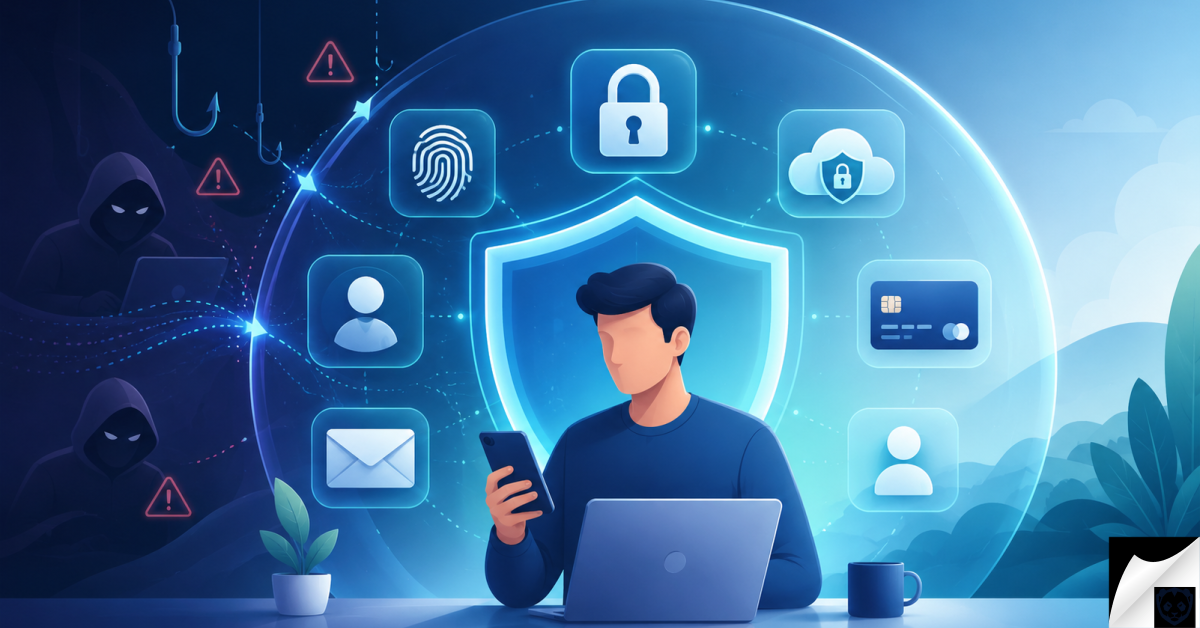
Identity protection is not something most people think about every day. Usually, we only start worrying about it after a strange login alert, an unknown bank transaction, a suspicious email, or a company data breach. But your personal information is valuable long before something goes wrong.
Table Of Content
- What Is Identity Protection?
- Why Identity Protection Matters
- Common Types of Identity Theft
- Financial Identity Theft
- Account Takeover
- Medical Identity Theft
- Tax Identity Theft
- Synthetic Identity Theft
- How to Protect Your Identity Online
- Use Strong and Unique Passwords
- Enable Multi-Factor Authentication
- Protect Your Email Account First
- Limit What You Share Online
- How to Spot Identity Theft Scams
- Warning Signs of a Scam
- Secure Your Devices
- Protect Your Financial Identity
- What to Do After a Data Breach
- What to Do If Your Identity Is Stolen
- Are Identity Protection Services Worth It?
- Identity Protection Checklist
- Identity Protection FAQ
- What is identity protection?
- What is the best way to protect my identity online?
- Can someone steal my identity with my phone number?
- Is credit monitoring the same as identity protection?
- Should I freeze my credit?
- What should I do first if my identity is stolen?
- Final Thoughts
Every time you create an account, shop online, use a banking app, upload a document, or share details on social media, small pieces of your identity are being used. Most of the time, everything works as expected. The problem starts when those details fall into the wrong hands.
The moment a corporation exposes your personal data, the clock starts ticking for identity thieves looking to exploit your credentials. Knowing the immediate mitigation protocols can mean the difference between an annoying notification and complete financial devastation. To map out your immediate response strategy, follow our emergency checklist on What to Do After a Data Breach Step-by-Step Guide.
The good news is that protecting your identity does not have to be complicated. You do not need to be a cyber security expert. A few smart habits can make it much harder for scammers, hackers, and identity thieves to misuse your personal information.
What Is Identity Protection?
Identity protection means keeping your personal information safe from theft, fraud, misuse, and unauthorized access. This includes obvious details like your name, address, phone number, email address, date of birth, bank information, credit card details, and government ID numbers.
It also includes things people often forget about, such as login details, old online accounts, photos of documents, saved payment methods, social media posts, location data, and answers to security questions.
In simple terms, identity protection is about making sure someone else cannot easily pretend to be you, access your accounts, open new accounts in your name, or use your private information for fraud.
Why Identity Protection Matters
Identity theft can create problems that are stressful, expensive, and difficult to fix. A criminal may use stolen information to access your bank account, take over your email, open a credit card, apply for a loan, make purchases, redirect deliveries, or scam your friends and family by pretending to be you.
One of the most effective ways to shield your online identity from data brokers and future corporate hacks is to stop using your real email address for everyday digital registrations. By decoupling your actual inbox from online services, you effectively sanitize your digital trail. Compare the premier identity masking tools in our review of the Best Email Alias Services for Privacy in 2026 | Protect Your Real Inbox.
Sometimes the damage is noticed quickly. Other times, people only discover identity theft weeks or months later, after they see an unknown account, a rejected application, a debt collection notice, or unusual activity on their financial records.
This is why identity protection matters even if you think you are careful online. Personal data can be exposed through phishing emails, fake websites, weak passwords, malware, data breaches, public records, social media posts, or old accounts you no longer use.
Common Types of Identity Theft
Identity theft does not always look the same. Some cases involve money, while others involve accounts, documents, medical records, or personal reputation. These are some of the most common types to understand.
Modern identity thieves often bypass corporate databases entirely, choosing instead to target your primary personal device via sophisticated mobile espionage tools. Once installed, this stealth software captures your keystrokes, personal messages, and biometric data in real time. If you suspect your mobile parameter has been compromised, implement the professional eradication steps in our How to Remove Spyware from iPhone and Android | Definitive Executive Guide to Neutralizing Mobile Espionage.
Financial Identity Theft
Financial identity theft happens when someone uses your personal or financial information to steal money, make purchases, open credit cards, apply for loans, or access payment accounts. This is one of the most common and damaging forms of identity theft.
Account Takeover
Account takeover happens when a criminal gains access to one of your online accounts. Email accounts are especially important because they are often used to reset passwords for many other services. Banking apps, shopping accounts, social media profiles, cloud storage, and payment platforms are also common targets.
Medical Identity Theft
Medical identity theft happens when someone uses your personal information to receive medical care, submit false insurance claims, or access health services in your name. This can create serious problems if incorrect information becomes part of your medical record.
Tax Identity Theft
Tax identity theft happens when someone uses your personal information to file a false tax return or claim a refund. Many victims only discover this when their real tax filing is delayed or rejected.
Synthetic Identity Theft
Synthetic identity theft is more complex. Criminals combine real and fake information to create a new identity. For example, they may use a real identification number with a different name, address, or date of birth.
How to Protect Your Identity Online
The best identity protection strategy is built in layers. One security habit helps, but several habits together make a much bigger difference. Start with the basics and improve step by step.
Before you can effectively fortify your personal data, you must establish an accurate baseline of your current exposure. Many users are completely unaware that their foundational login credentials have already been traded on underground hacking forums for months. You can begin your security audit right now by checking our tutorial on How to Check if Your Email Was Leaked.
Use Strong and Unique Passwords
One of the easiest ways criminals get into accounts is through reused passwords. If you use the same password on several websites and one of those websites is breached, attackers may try that same password on your email, bank, shopping accounts, and social media profiles.
Every important account should have its own password. This is especially important for your email, banking, password manager, cloud storage, mobile carrier, and work accounts.
- Use long passwords that are hard to guess.
- Do not use your name, birthday, phone number, pet name, or favorite team.
- Never reuse the same password on multiple important accounts.
- Use a trusted password manager to create and store strong passwords.
- Change your password quickly if you think an account has been exposed.
Enable Multi-Factor Authentication
Multi-factor authentication, often called MFA or 2FA, adds another step when you log in. Even if someone finds out your password, they still need the second verification step to access the account.
This extra layer is especially important for your email account, online banking, social media, cloud storage, password manager, mobile carrier account, and any account connected to money or private documents.
When possible, use an authentication app, passkey, or hardware security key. SMS codes are still better than having no extra protection, but they can be weaker if your phone number is targeted through a SIM-swap scam.
Protect Your Email Account First
Your email account is one of the most important parts of your digital identity. If someone gets into your email, they may be able to reset passwords for many other accounts.
Use a strong password, turn on multi-factor authentication, review your recovery email and phone number, remove unknown devices, and check forwarding rules. Attackers sometimes create hidden email forwarding rules so they can keep receiving your messages even after you change your password.
Limit What You Share Online
Scammers often collect personal details from public profiles, old posts, online directories, comments, photos, and data broker websites. A single post may not seem risky, but several small details can be combined to impersonate you.
- Avoid sharing your full birth date, home address, phone number, or ID details publicly.
- Do not post photos of passports, visas, tickets, invoices, bank cards, or official documents.
- Review privacy settings on your social media accounts.
- Be careful with online quizzes that ask personal questions.
- Do not share your real-time location with the public.
- Use different email addresses for banking, shopping, newsletters, and public sign-ups when possible.
How to Spot Identity Theft Scams
Many identity theft cases start with a simple message. It may look like it comes from a bank, delivery company, government office, streaming service, employer, online marketplace, or technical support team.
Safeguarding your identity is an active, ongoing process rather than a set-and-forget configuration. Because cybercriminals deploy newly weaponized exploits daily, maintaining an accurate awareness of the modern threat landscape is essential for long-term safety. Stay ahead of corporate vulnerabilities by frequently reviewing our Latest Data Breaches & Security Incidents | Live Tracker.
The goal is usually the same: make you panic, click a link, download a file, share a code, or send money before you have time to think.
Warning Signs of a Scam
- The message says you must act immediately or your account will be closed.
- You are asked to share a password, PIN, one-time code, or recovery phrase.
- The sender asks for payment by gift card, crypto, wire transfer, or another unusual method.
- The website address looks slightly different from the real company website.
- You receive an unexpected attachment, link, or QR code.
- A caller asks you to install remote access software.
- You are told not to contact your bank, family, or local authorities.
If something feels wrong, slow down. Do not click the link in the message. Open the official app or type the official website address yourself. If you need to call the company, use a phone number from its official website, not the number in the suspicious message.
Secure Your Devices
Your phone and computer hold a lot of your identity. They may contain saved passwords, banking apps, private photos, emails, documents, messages, and payment details. Keeping your devices secure is a big part of identity protection.
- Keep your phone, computer, browser, and apps updated.
- Use a strong screen lock on every device.
- Only install apps from trusted sources.
- Remove apps and browser extensions you no longer use.
- Use built-in security tools or trusted antivirus software when needed.
- Back up important files safely.
- Enable device tracking and remote wipe features where available.
Also be careful when using public Wi-Fi. Avoid logging into sensitive accounts on networks you do not trust. For banking or private accounts, using your mobile data connection can often be a safer option than unknown public Wi-Fi.
Protect Your Financial Identity
Financial identity theft can be stressful because it directly affects your money and credit. The sooner you notice suspicious activity, the easier it is to limit the damage.
- Turn on transaction alerts for your bank accounts and cards.
- Check bank statements and payment app activity regularly.
- Report unknown transactions as soon as possible.
- Use credit freezes or credit locks where available.
- Shred sensitive paper documents before throwing them away.
- Be careful with investment, loan, job, crypto, and romance offers.
- Use official websites when checking credit reports or financial accounts.
Do not ignore small unknown charges. Criminals sometimes test a card with a small transaction before trying larger purchases.
What to Do After a Data Breach
If a company tells you that your information was exposed in a data breach, take the notice seriously. Even if nothing happens right away, stolen information can be used later.
- Read the breach notice carefully. Check what information was exposed, such as email addresses, passwords, phone numbers, payment details, or ID numbers.
- Change affected passwords. If you used the same password anywhere else, change it there too.
- Enable multi-factor authentication. Add extra protection to the affected account and any important related accounts.
- Watch for phishing attempts. Scammers may use breach details to make fake messages look more believable.
- Monitor your financial accounts. Look for unknown transactions, account changes, or login alerts.
- Consider a credit freeze. If sensitive identity details were exposed, a credit freeze can help stop new credit accounts from being opened in your name.
What to Do If Your Identity Is Stolen
If your identity has already been stolen, quick action matters. Try not to panic, but do not wait. Start with the accounts or companies where the fraud happened, then work outward.
- Secure your accounts. Change passwords, sign out of unknown sessions, remove unknown devices, and enable multi-factor authentication.
- Contact affected companies. Notify banks, card issuers, lenders, marketplaces, or platforms where suspicious activity happened.
- Freeze or close compromised accounts. Ask for new cards, new account numbers, or extra security steps when needed.
- Report the identity theft. Use the official fraud, consumer protection, or cybercrime reporting system in your country.
- Place a fraud alert or credit freeze where available. This can make it harder for criminals to open new accounts in your name.
- Document everything. Save screenshots, emails, case numbers, letters, dates, and names of representatives you speak with.
- Keep monitoring your accounts. Identity theft can continue after the first problem is discovered.
Be careful of recovery scams. Some criminals pretend to help victims get money or accounts back, but they ask for fees, passwords, verification codes, or more personal information.
Are Identity Protection Services Worth It?
Identity protection services can be useful, but they are not magic. Some services monitor credit files, dark web exposure, public records, data broker listings, account changes, or suspicious activity. Others may offer recovery support or insurance.
Before paying for a service, look closely at what it actually does. Does it work in your country? Does it monitor the type of information you care about? How quickly does it send alerts? What personal data do you need to provide? Is the cancellation process clear?
For many people, the most valuable identity protection steps are free: unique passwords, multi-factor authentication, account alerts, credit freezes where available, privacy settings, careful browsing, and regular account monitoring.
Identity Protection Checklist
You do not need to fix everything in one day. Start with the most important steps and build from there.
- Use a unique password for every important account.
- Enable multi-factor authentication wherever possible.
- Secure your email account first.
- Keep your phone, computer, browser, and apps updated.
- Do not click suspicious links, attachments, or QR codes.
- Limit personal information on public profiles.
- Monitor bank, card, and payment app activity.
- Turn on alerts for logins, transactions, password changes, and new devices.
- Review credit reports where available.
- Act quickly after a data breach or suspicious account activity.
Identity Protection FAQ
What is identity protection?
Identity protection is the practice of keeping your personal information safe so it cannot be easily stolen, misused, or used to impersonate you online or offline.
What is the best way to protect my identity online?
The best way to protect your identity online is to use unique passwords, enable multi-factor authentication, secure your devices, limit public personal information, monitor important accounts, and be careful with suspicious messages or links.
Can someone steal my identity with my phone number?
A phone number alone may not be enough to steal your full identity, but it can still be used in phishing, SIM-swap attempts, fake support calls, and account recovery scams. Protect your mobile carrier account with a strong PIN or password if your provider offers one.
Is credit monitoring the same as identity protection?
No. Credit monitoring is only one part of identity protection. Full identity protection also includes account security, password safety, device protection, scam awareness, privacy control, financial alerts, and recovery planning.
Should I freeze my credit?
A credit freeze can be helpful if your sensitive information has been exposed or if you want to reduce the risk of criminals opening new credit accounts in your name. Availability and rules depend on your country and credit reporting system.
What should I do first if my identity is stolen?
First, secure your accounts and contact the companies where fraud happened. Then report the identity theft through the official fraud or cybercrime reporting channel in your country. Keep records of every message, call, case number, and document.
Final Thoughts
Identity protection is not about being scared of every email, website, or app. It is about building simple habits that protect you before something goes wrong.
Start with your email and banking accounts. Use unique passwords, enable multi-factor authentication, keep your devices updated, limit what you share publicly, and check your accounts regularly.
You cannot stop every data breach or scam attempt, but you can make yourself a much harder target. That is what good identity protection is really about.
No Comment! Be the first one.