

What to Do If You’ve Been Hacked | Step-by-Step Recovery
Moment you realize your digital life has been compromised, panic usually takes over. You might see a strange charge on your credit card, find yourself locked out of your primary email, or watch in...


Moment you realize your digital life has been compromised, panic usually takes over. You might see a strange charge on your credit card, find yourself locked out of your primary email, or watch in horror as your cursor moves across the screen on its own. Your heart rate spikes, and the immediate urge is to start clicking frantically to fix it. Stop.
Table Of Content
- Immediate First Steps
- 10 Undeniable Signs You’ve Been Hacked
- 1. Unexpected MFA or Password Reset Prompts
- 2. Locked Out of Your Own Accounts
- 3. Financial Anomalies and Ghost Transactions
- 4. Your Contacts Receive Spam from You
- 5. Unexplained Device Slowdowns and Battery Drain
- 6. New, Unrecognized Browser Extensions
- 7. Mouse Moving Uncontrollably
- 8. Disabled Antivirus or Firewall Settings
- 9. Spikes in Network Data Usage
- 10. The Dreaded Ransomware Screen
- How Did This Happen? The Anatomy of a Hack
- Phishing and Social Engineering
- Password Reuse and Data Breaches
- Malicious Payloads and Drive-by Downloads
- Public Wi-Fi and Man-in-the-Middle Attacks
- SIM Swapping
- What to Do If You’ve Been Hacked: The Step-by-Step Recovery Plan
- Step 1: Disconnect and Isolate the Device
- Step 2: Triage Your Accounts (Starting with the Master Key)
- Step 3: Execute a Global Password Reset
- Step 4: Enable Robust Two-Factor Authentication (2FA)
- Step 5: Revoke Active Sessions and Third-Party App Permissions
- Step 6: Hunt and Destroy the Malware
- Step 7: Lock Down Your Financial Identity
- Step 8: Notify Your Network
- Step 9: Document the Breach
- Step 10: The Nuclear Option (Wipe and Reinstall)
- Essential Cybersecurity Tools for Recovery and Prevention
- A Zero-Knowledge Password Manager
- Hardware Security Keys (FIDO2/WebAuthn)
- Endpoint Detection and Response (EDR) or Premium Antivirus
- Virtual Private Networks (VPN)
- Dark Web Monitoring and Credit Monitoring
- Expert Pro Tips for Post-Hack Resilience
- Compartmentalize Your Email Addresses
- Salt Your Security Questions
- Audit Your Recovery Methods
- Embrace Aliases and Masked Cards
- Frequently Asked Questions
- Can a hacker access my phone by just calling me?
- How do I know if my router has been hacked?
- Will resetting my phone to factory settings remove a hacker?
- Can hackers see me through my laptop camera?
- What should I do if my bank account was drained?
- Is it safe to pay a ransomware demand?
- How long does it take to recover from identity theft?
- Can someone hack me through public Wi-Fi?
- Taking Back Control
Panic is the adversary’s best friend. When you act out of fear, you make mistakes, alert the attacker to your awareness, or accidentally destroy evidence needed to secure your systems. Figuring out what to do if you’ve been hacked requires a cold, calculated, and systematic approach. Think of it as a digital triage: you need to stop the bleeding, assess the damage, and rebuild your defenses.
Whether it is a compromised social media account, a ransomware infection on your laptop, or a full-scale identity theft incident, the principles of incident response remain the same. The actions you take in the first few hours dictate how quickly and completely you will recover.
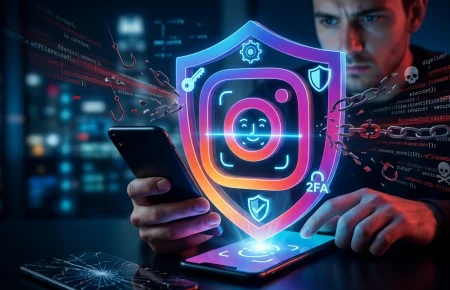
Social media accounts are frequent targets for hackers. If you’ve lost access to your profile, here’s how to recover a hacked Instagram account step by step.
This guide acts as your emergency response manual. We will strip away the confusing jargon and walk through the exact steps security professionals use to contain threats, evict attackers, and permanently secure your digital footprint.
Immediate First Steps
If you suspect an active breach, disconnect the compromised device from the internet immediately. Use a completely different, clean device (like a secondary phone on a cellular network) to change the password to your primary email account. Immediately enable hardware or app-based two-factor authentication, and monitor your bank accounts for unauthorized transactions.
10 Undeniable Signs You’ve Been Hacked
Sometimes a hack is loud, like a ransom note taking over your screen. More often, it is a silent, creeping intrusion. Attackers prefer to stay hidden so they can quietly siphon data, monitor your keystrokes, or use your machine to attack others. Here are the clear indicators that your system or accounts are compromised.
1. Unexpected MFA or Password Reset Prompts
If your phone suddenly buzzes with a multi-factor authentication (MFA) code you did not request, someone has your password and is trying to bypass the second layer of security. Similarly, receiving emails about password reset requests you never initiated is a massive red flag. Never approve an authentication prompt you did not trigger.
2. Locked Out of Your Own Accounts
The most terrifying realization is typing in your known, correct password, only to see an “incorrect password” error. If an attacker gains access to your account, the very first thing they do is change the password and the recovery email address to lock you out permanently.
3. Financial Anomalies and Ghost Transactions
Hackers rarely steal large sums all at once. They often test the waters with micro-transactions—charges for $1.50 or $3.00—to see if the card works and if you are paying attention. If you spot subscriptions or purchases you do not recognize, your payment data is compromised.
4. Your Contacts Receive Spam from You
If friends, family, or colleagues tell you they are receiving strange links, urgent requests for money, or weird attachments from your email or social media profiles, your account has been hijacked. Attackers use the trust associated with your name to compromise your network.
If you suspect your phone is involved—especially if you’re using Android—removing spyware should be a top priority. Follow this guide on how to remove spyware from Android.
5. Unexplained Device Slowdowns and Battery Drain
Malware, specifically cryptominers or spyware, consumes massive amounts of computing power. If your phone or laptop suddenly runs incredibly hot, the fans sound like a jet engine, and the battery drains in half the normal time, malicious processes are likely running in the background.
6. New, Unrecognized Browser Extensions
Your web browser is the gateway to your digital life. Attackers often install rogue extensions to log keystrokes, steal session cookies, or inject malicious advertisements. If you see a toolbar, search engine, or extension you did not install, consider your browser compromised.
7. Mouse Moving Uncontrollably
This is the nightmare scenario. If your mouse cursor is moving with purpose—opening files, minimizing windows, or navigating settings—without your input, an attacker has active remote desktop access. Pull the power cord or disconnect the network immediately.
8. Disabled Antivirus or Firewall Settings
Sophisticated malware is designed to blind your defenses. If you notice that your native security software (like Windows Defender) is suddenly turned off, grayed out, or claiming that “your IT administrator manages this setting” when you are on a personal computer, you have a deep infection.
9. Spikes in Network Data Usage
If an attacker is exfiltrating your personal files or using your device as part of a botnet, your data usage will skyrocket. Check your internet service provider (ISP) dashboard or your device’s network settings for massive, unexplained uploads.
10. The Dreaded Ransomware Screen
The most obvious sign of all: you turn on your computer to find a full-screen message demanding cryptocurrency in exchange for the decryption key to your files. Your wallpaper has changed, and your files have weird extensions like “.encrypted” or “.locked”.
How Did This Happen? The Anatomy of a Hack
Understanding the entry point is critical for preventing a recurrence. Hacks rarely happen via brute-force code-breaking depicted in movies. They almost always rely on exploiting human psychology or poor security hygiene.
Phishing and Social Engineering
This remains the most common attack vector. You receive an urgent email looking exactly like it came from your bank, PayPal, or Microsoft. It claims your account is suspended and provides a link. You click, land on a fake login page, type your credentials, and hand them directly to the attacker. Always verify the sender’s actual email address, not just the display name.
Password Reuse and Data Breaches
If you use the same password for your email, your favorite online store, and your streaming services, you are a sitting duck. When that obscure online store inevitably gets breached, hackers dump the username and password combinations onto the dark web. They then use automated tools to try those exact credentials on Gmail, banking apps, and social media platforms. This is called credential stuffing.
Malicious Payloads and Drive-by Downloads
Pirated software, cracked games, and shady streaming sites are heavily seeded with malware. Sometimes, you don’t even have to click anything; visiting a compromised website with an outdated browser can trigger a “drive-by download” where malware is silently installed via security vulnerabilities.
Public Wi-Fi and Man-in-the-Middle Attacks
Connecting to “Free Airport Wi-Fi” or “Coffee Shop Guest” networks without a VPN exposes your traffic. Attackers on the same network can intercept your unencrypted data, steal session cookies, and hijack your logged-in accounts without ever needing your password.
SIM Swapping
This is a highly targeted attack where a hacker calls your mobile carrier, pretends to be you, and convinces the customer service rep to port your phone number to a new SIM card they control. Suddenly, your phone loses service, and the attacker receives all of your SMS-based two-factor authentication codes.
What to Do If You’ve Been Hacked: The Step-by-Step Recovery Plan
If you are currently dealing with a breach, follow these steps in this exact order. Do not skip ahead. Containment must happen before recovery.
Step 1: Disconnect and Isolate the Device
The very first thing you must do is sever the attacker’s connection to your device and stop them from stealing more data. If your computer or phone is acting strangely, disconnect it from the Wi-Fi. Unplug the Ethernet cable. Turn on Airplane Mode. Do not turn the device off completely just yet, as you may lose volatile memory data that security professionals could use for forensics, but absolutely cut its connection to the outside world.
If your personal data has been exposed in a breach, acting quickly can reduce the damage. Use this emergency checklist after a data breach to secure your accounts immediately.
Step 2: Triage Your Accounts (Starting with the Master Key)
Your primary email address (usually Gmail, Outlook, or Apple Mail) is the master key to your entire digital life. If an attacker controls your email, they can issue password resets for every other account you own. You must use a completely different, known-safe device to do this. Borrow a friend’s phone or use a tablet that was powered off during the incident.
Log into your primary email. If you can get in, check the forwarding rules immediately. Hackers often set up hidden rules to auto-forward your emails to their own addresses so they can monitor your recovery efforts. Delete any unrecognized rules.
Step 3: Execute a Global Password Reset
You need to change the passwords for all critical accounts, but you cannot use the compromised device to do it, otherwise, the attacker’s keylogger will just record your new passwords. From your safe device, change passwords in this priority order:
- Primary Email Accounts
- Banking and Financial Institutions
- Cellular Carrier Account (AT&T, Verizon, T-Mobile, etc.)
- Social Media (Facebook, Instagram, LinkedIn, X)
- Cloud Storage (Google Drive, iCloud, Dropbox)
Every new password must be unique, complex, and at least 16 characters long. Stop trying to memorize them. You will set up a password manager later.
Step 4: Enable Robust Two-Factor Authentication (2FA)
A strong password is no longer enough. You must require a second form of verification. Avoid SMS-based text message codes whenever possible, as they are vulnerable to SIM swapping. Instead, navigate to the security settings of your accounts and set up an Authenticator App (like Google Authenticator, Authy, or Duo) or use a physical hardware security key.
Step 5: Revoke Active Sessions and Third-Party App Permissions
Changing your password does not always kick an attacker out if they already have an active session cookie. You must manually force them out. Go to the security dashboard of your Google, Apple, Facebook, and Microsoft accounts. Look for the section labeled “Where you’re logged in” or “Active Sessions.” Click “Log out of all devices” or “Revoke all sessions.”
Next, check “Connected Apps” or “Third-Party Permissions.” Attackers often grant malicious apps persistent access to your account so they can get back in even after you change the password. Delete any app integration you do not explicitly recognize.
Step 6: Hunt and Destroy the Malware
Now you can return to the infected device. Keep it disconnected from the internet. If you are using Windows, reboot the machine into Safe Mode to prevent malicious scripts from loading at startup. Run a deep, full-system scan using reputable anti-malware software like Malwarebytes or Windows Defender Offline.
If the scan finds severe infections like rootkits or Trojans, deleting the files might not be enough. Sophisticated malware burrows deep into the operating system registry.
Step 7: Lock Down Your Financial Identity
If there is any chance your financial data or Social Security Number was exposed, you need to freeze your credit. Contact the major credit bureaus (Equifax, Experian, TransUnion in the US) and request a security freeze. This is free and prevents anyone from opening new lines of credit in your name.
Next, call your bank and credit card issuers. Inform them of the breach. Ask them to cancel your current cards, issue new ones, and place a fraud alert on your accounts. Scrutinize your bank statements from the last 90 days for any unauthorized micro-transactions.
Step 8: Notify Your Network
You have a responsibility to protect your contacts. Use a secure channel (like an SMS message or a fresh post from your recovered social media account) to warn your friends, family, and employer. Tell them: “My account was compromised. Do not click any links, open any attachments, or send money to anyone claiming to be me from my email or social accounts over the last 48 hours.”
Step 9: Document the Breach
If you suffered financial loss, identity theft, or severe harassment, you need a paper trail. Take screenshots of threatening messages, weird transactions, and the malicious emails that started it all. File a report with your local law enforcement. In the US, report the incident to the FBI’s Internet Crime Complaint Center (IC3). While police may not recover a $50 stolen gift card, having a police report is critical for insurance claims and disputing fraudulent debt.
Step 10: The Nuclear Option (Wipe and Reinstall)
If your device was heavily infected with a remote access trojan (RAT), a keylogger, or ransomware, never trust that operating system again. Antivirus software is good, but it is not infallible. The only way to be 100% certain your computer is clean is to completely wipe the hard drive and reinstall the operating system from scratch.
Back up your essential documents and photos (do not back up executable programs or application files, as they may contain hidden malware). Format your hard drive. Reinstall Windows or macOS using a USB drive created on a completely different, clean computer.
Essential Cybersecurity Tools for Recovery and Prevention
You cannot secure your digital life manually. You need automated, professional-grade tools to maintain a hardened defense. Here is the toolkit you need to implement immediately after recovering from a hack.
A Zero-Knowledge Password Manager
This is the most critical tool in your arsenal. A password manager generates, stores, and auto-fills incredibly complex passwords (e.g., “g7#K9vP2$mL4xQ1!”) for every single account you own. Because you only need to remember one master password, you completely eliminate the risk of password reuse. Look for zero-knowledge architecture, meaning even the company hosting the data cannot decrypt your vault.
Hardware Security Keys (FIDO2/WebAuthn)
If you want impenetrable security, upgrade from authenticator apps to hardware keys. These are physical USB or NFC devices that you tap against your phone or plug into your laptop to verify your identity. They are mathematically immune to phishing. Even if an attacker has your password and a fake login site, they cannot log in without physical possession of your hardware key.
Endpoint Detection and Response (EDR) or Premium Antivirus
Free antivirus is better than nothing, but premium security suites offer behavior-based detection. Instead of just looking for known virus signatures, modern security software watches how programs behave. If a random PDF file suddenly tries to encrypt your photo folder, the software kills the process instantly. Ensure your security tool has real-time web protection to block malicious URLs before the page loads.
Virtual Private Networks (VPN)
A VPN encrypts your internet traffic, routing it through a secure server before it hits the open web. This is absolutely mandatory if you travel, work from coffee shops, or use hotel Wi-Fi. It prevents local attackers from snooping on your data packets and stealing your session cookies.
Dark Web Monitoring and Credit Monitoring
You need early warning systems. Dark web monitoring services constantly scan underground forums and data leak sites for your email addresses, phone numbers, and passwords. If your data appears in a new breach, you receive an alert, giving you a head start to change your password before the credential stuffers attack. Pair this with active credit monitoring to catch identity theft immediately.
Expert Pro Tips for Post-Hack Resilience
Basic advice is essential, but cybersecurity experts use advanced techniques to ensure a breach remains an isolated incident rather than a catastrophe. Here is how to elevate your security posture.
Compartmentalize Your Email Addresses
Do not use one email address for everything. Set up separate email accounts for different areas of your life. Have one email for banking and financial services, one for personal communication, and a “burner” email for signing up for newsletters, retail discounts, and random web forums. If the burner email gets compromised, your bank accounts remain completely isolated and invisible to the attacker.
Salt Your Security Questions
Security questions are a massive vulnerability. “What is your mother’s maiden name?” and “What high school did you attend?” are easily answered by spending five minutes on your Facebook profile or looking at public records. Treat security questions like secondary passwords. If a site asks for your first pet’s name, don’t write “Buster.” Write a generated password like “Xy7!pL9” and save it in your password manager’s notes section. Hackers cannot social engineer a random string of characters.
Audit Your Recovery Methods
Hackers are persistent. After being kicked out, they often leave backdoors. Check the recovery email and phone number tied to your critical accounts. Attackers frequently change these to their own details so they can simply hit “forgot password” a week later and regain access. Ensure every recovery method listed is strictly yours.
Embrace Aliases and Masked Cards
Use email alias services that create unique forwarding addresses for every service you use. If a service gets breached, you can simply delete that specific alias. Similarly, use virtual privacy cards for online shopping. These services generate temporary, single-use credit card numbers tied to your real bank account. If a merchant is hacked and the card number is stolen, it is useless to the attacker.
Frequently Asked Questions
Can a hacker access my phone by just calling me?
No, a hacker cannot compromise your phone simply by calling you. The act of answering a phone call does not install malware or give them control of your device. However, they can use the call for social engineering—tricking you into giving them a verification code, confirming your identity, or tricking you into visiting a malicious website. Hang up on suspicious callers.
How do I know if my router has been hacked?
Signs of a compromised router include your DNS settings being changed (which redirects your web traffic to fake sites), unfamiliar devices showing up on your network admin panel, a sudden loss of administrative access, or your internet connection becoming inexplicably slow. To fix this, use a paperclip to press the physical reset button on the back of the router to restore factory settings, then immediately change the default admin password.
Will resetting my phone to factory settings remove a hacker?
In almost all consumer cases, yes. A factory reset wipes the entire operating system, user data, and any installed apps, including hidden spyware and malware. However, before you do this, ensure you have your contacts and photos backed up securely. Do not restore apps from a backup, as you might accidentally reinstall the malicious software. Redownload your apps manually from the official app store.
Can hackers see me through my laptop camera?
Yes, if your computer is infected with a Remote Access Trojan (RAT), attackers can secretly activate your webcam and microphone without the indicator light turning on. The most effective and foolproof defense against this is physical: place a webcam cover or a piece of opaque tape over the lens when you are not actively using it.
What should I do if my bank account was drained?
Call your bank’s fraud department immediately. Time is critical. Tell them your account was compromised and the transfers were unauthorized. Freeze the account to prevent further losses. Document the fraudulent transfers, file a police report to create a legal record, and escalate the issue to the fraud investigations team. Under laws in many countries (like the Electronic Fund Transfer Act in the US), your liability is limited if you report the fraud promptly.
Is it safe to pay a ransomware demand?
Cybersecurity experts and law enforcement agencies strongly advise against paying ransoms. Paying does not guarantee you will get the decryption key. Often, the attackers simply take the money and vanish, or demand a second payment. Furthermore, paying funds criminal enterprises and marks you as a willing target for future attacks. Rely on offline backups to restore your data instead.
How long does it take to recover from identity theft?
Recovering from severe identity theft is a marathon, not a sprint. While securing your accounts can take a few days, clearing fraudulent debt, disputing credit report errors, and working with government agencies can take anywhere from six months to several years. It requires meticulous record-keeping and persistent follow-up with credit bureaus and financial institutions.
Can someone hack me through public Wi-Fi?
Yes. Open public Wi-Fi networks do not encrypt the traffic between your device and the router. An attacker on the same network can use packet-sniffing tools to intercept your data, capture your login credentials, and steal your active session cookies in what is known as a Man-in-the-Middle (MitM) attack. Never log into sensitive accounts on public Wi-Fi unless you are using a reputable VPN.
Taking Back Control
Experiencing a cyber attack is deeply violating, but it is entirely survivable. Knowing exactly what to do if you’ve been hacked transforms a chaotic emergency into a manageable process. By isolating the threat, severing the attacker’s access, and methodically securing your master accounts, you reclaim control of your digital territory.
Do not wait for the dust to settle before upgrading your security. The moment your accounts are secure, invest the time to set up a password manager and hardware security keys. Cybersecurity is not about building an impenetrable fortress; it is about making yourself a harder target than the person next to you. Take action right now: log into your primary email account and verify that two-factor authentication is active.




No Comment! Be the first one.